# How To Add a Site to BetterShield Hub?
Open a site's BetterShield Hub screen from its address, install BetterShield when needed and approve the connection on the site.
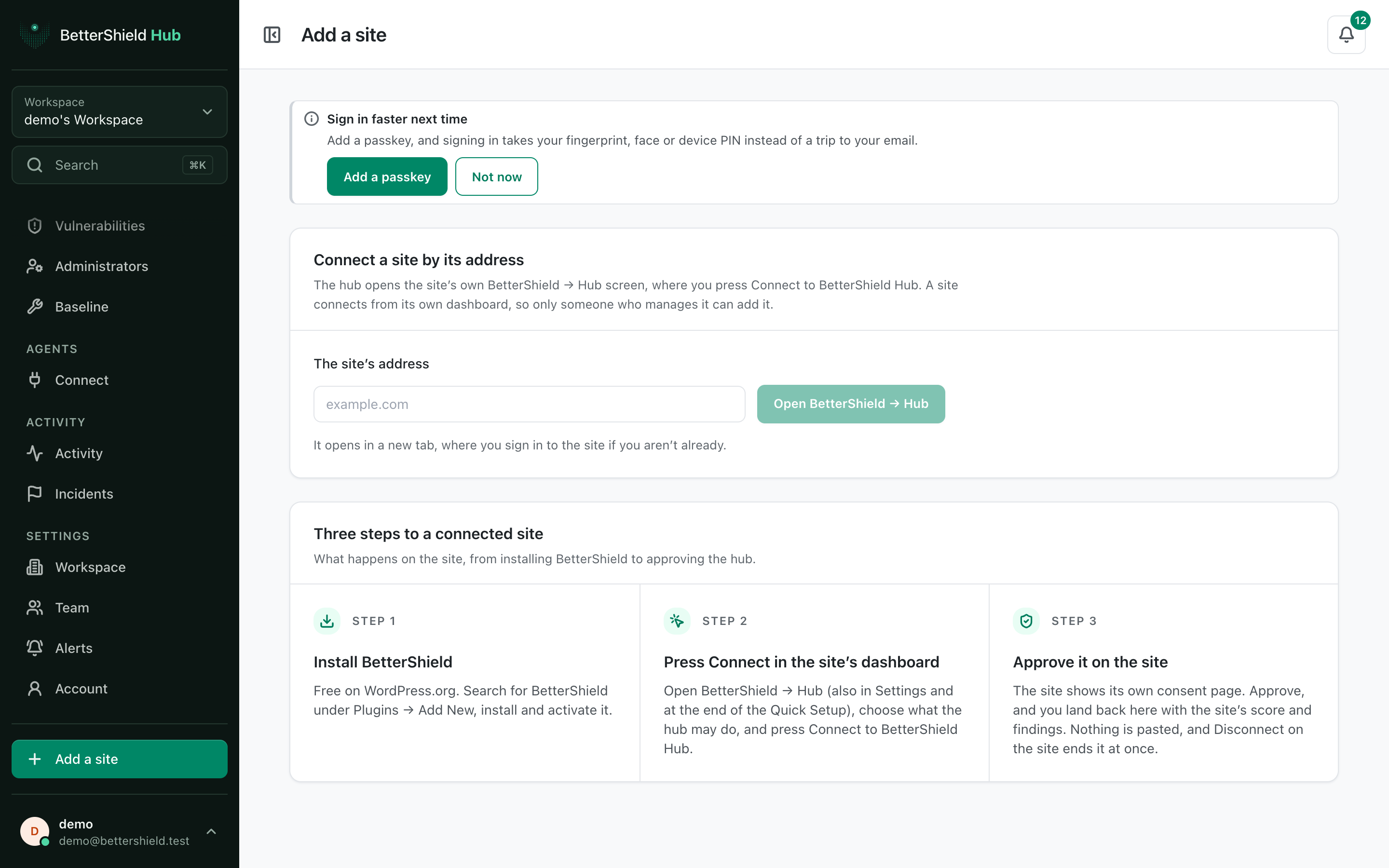
The Hub **Add a site** screen opens the site's own [BetterShield](/) connection page. Hub never connects a site by address alone.
_**Note:** Sign in to your free [BetterShield Hub](/bettershield-hub/) account. Your workspace role and site permissions determine which information and actions you can use._
## What it does
Enter a site address to open **BetterShield › Hub** there. If BetterShield is not installed, the screen also offers the site's WordPress plugin installer.
## Step 1: Open Add a site
In Hub, select **Add a site**.
Only someone who can manage the WordPress site can finish its connection.
## Step 2: Add a site to BetterShield Hub
- Enter **The site’s address**, such as `example.com`. The field starts empty.
- Select **Open BetterShield › Hub**.
- Sign in to WordPress if needed.
- Choose what Hub may do and select **Connect to BetterShield Hub**.
- Approve the site's own consent page.
The completed connection returns you to Hub with the site's score and findings.
## Recommended settings
Our advice:
- Use the live site's canonical address.
- Start read-only if the workspace only needs reporting.
- Confirm the site name and address after it appears in Hub.
## What it can break and how to undo
Opening the address changes nothing. A connected Hub with change access can later apply supported plans after confirmation.
Use **Disconnect** on **BetterShield › Hub** in WordPress to end the connection. Removing the site from Hub alone may leave the site-side connection until it can confirm.
## Final Outcome
The site appears under **Sites**.
- Its page shows a score, findings and a recent **Last read**.
- The WordPress Hub screen shows it as connected.
Example Add a Hub site view. Check the saved values and status on your own site.
## Related
- [Connect a site to BetterShield Hub](/docs/connect-to-bettershield-hub/)
- [Browse and filter sites](/docs/hub-sites/)
- [Remove a site from Hub](/docs/remove-site-from-hub/)
This is how you can add a site to BetterShield Hub.
Getting Stuck? Feel free to contact our [Dedicated Support Team](/support/).