# How To Keep Client Contact Records With BetterShield Ultra?
Save a client name, contacts and private notes for client report delivery in BetterShield Ultra.
Save a client name, contacts and private notes for client report delivery in **[BetterShield Ultra](/ultra/)**.
_**Note:** These controls require the paid [BetterShield Ultra](/ultra/) add-on alongside the free BetterShield plugin._
## What it does
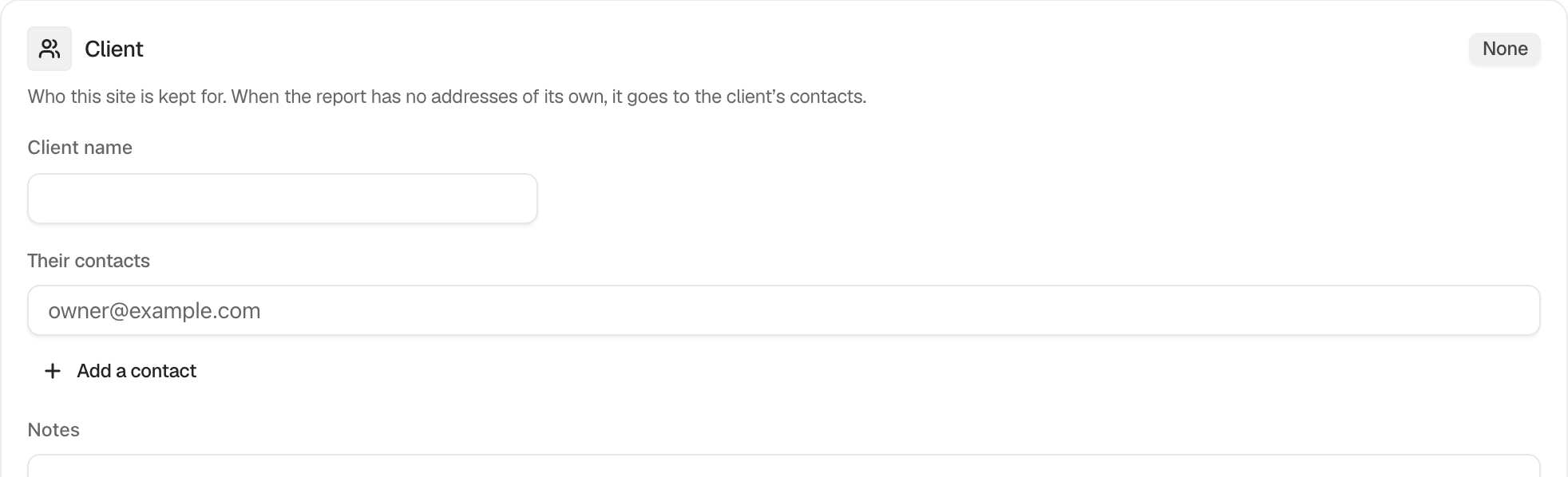
The **Client** card on **BetterShield › Ultra › Client report** records who a site is kept for. When the report has no addresses of its own, it goes to that client's contacts.
## Step 1: Keep Client Contact Records
| Option | What it does | Default |
|---|---|---|
| **Client name** | Names the person or organization this site is kept for. | Empty |
| **Their contacts** | Adds up to five email addresses with **Add a contact**. | Empty |
| **Notes** | Keeps private notes for administrators. Notes are not included in reports, alerts or activity records. | Empty |
Enter the details and press **Save**. Use **Take this client off file** when this site should no longer belong to that record.
 ## Recommended settings
Save a clear client name and at least one monitored contact. Keep operational notes brief and do not use the field for passwords, keys or other secrets.
## What it can break and how to undo
Changing a shared client record can redirect reports for other sites assigned to that client on a multisite network. Review the contact list before saving. To stop using the record on this site, use **Take this client off file**. Removing it from the network also removes its contacts and notes.
## Final Outcome
The card badge shows the client's name. When **Send it to** is empty on the report card, its note names the client contacts that will receive the report.
## On multisite
Client records are kept once for the network. Each site chooses a client from **On file**, and editing that record changes it for every site that uses it.
## Related
- [Client report](/docs/client-report/)
- [Schedule a client report](/docs/client-report-schedule/)
- [Brand sign-in screens](/docs/sign-in-screens/)
This is how you can keep client contact records with BetterShield Ultra.
Getting Stuck? Feel free to contact our [Dedicated Support Team](/support/).