# How To Mark File Changes as Expected With BetterShield?
Accept an intentional watched-code change so the current copy becomes the baseline for future comparisons.
In **[BetterShield](/)**, use the expected-change action on **BetterShield › Activity › File Changes** for a reviewed change in code that has no published checksum.
## What it does
Marking a change as expected records the current file state as the baseline. Later additions, edits, or removals are compared with that accepted state. It does not verify who made the change or whether the code is safe.
## Step 1: Mark File Changes as Expected
Run a file check, inspect the path and change details, confirm the deployment or administrator responsible, then choose the action that marks it expected.
Only reviewed, intentional differences should become the new comparison baseline.
## Accept one paid-plugin version
On File Changes, review the group for the plugin and recorded version, then use its expected-change action. The choice covers that version only. A later version or a newly changed file can be reported again. It does not prove the package is safe or came from the publisher.
From WP-CLI, preview the group first, then add `--yes` to accept it:
```sh
wp bettershield integrity expect --slug=your-paid-plugin --version=1.2.3
wp bettershield integrity expect --slug=your-paid-plugin --version=1.2.3 --yes --user=admin
```
Keep the printed undo token. `wp bettershield integrity undo --token= --user=admin` brings the accepted changes back for review.
## Recommended settings
Match the change to a release, deployment, or known administrator action before accepting it. Keep an independent source copy for custom code.
## What it can break and how to undo
Accepting an unknown change can hide that exact difference from later reports. If the file should instead match a trusted copy, restore or redeploy it and run the check again. A later change will still be reported.
## Final Outcome
Re-run the check. The accepted change should no longer be unresolved. Edit the test copy only in a safe development environment and confirm a new difference appears.
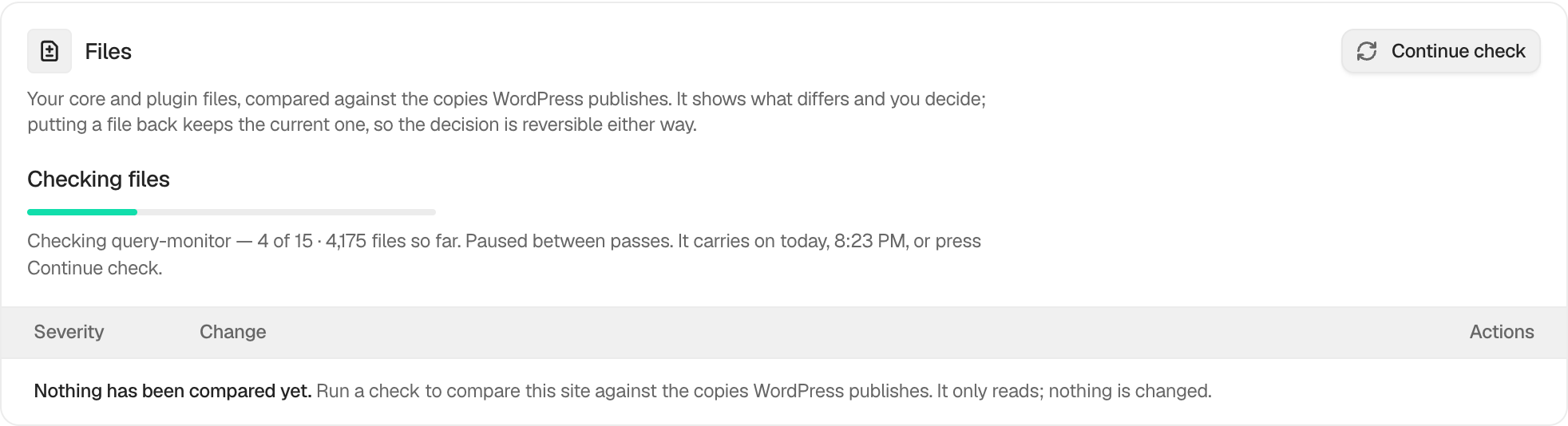
Example Expected file changes view. Check the saved values and status on your own site.
## Related
- [Check files against their published copies](/docs/file-integrity-checks/)
- [Adopt a modified plugin copy](/docs/adopt-plugin-copy/)
- [Filter and search site activity](/docs/filter-activity-log/)
This is how you can mark file changes as expected with BetterShield.
Getting Stuck? Feel free to contact our [Dedicated Support Team](/support/).