# How To Filter and Search Site Activity With BetterShield?
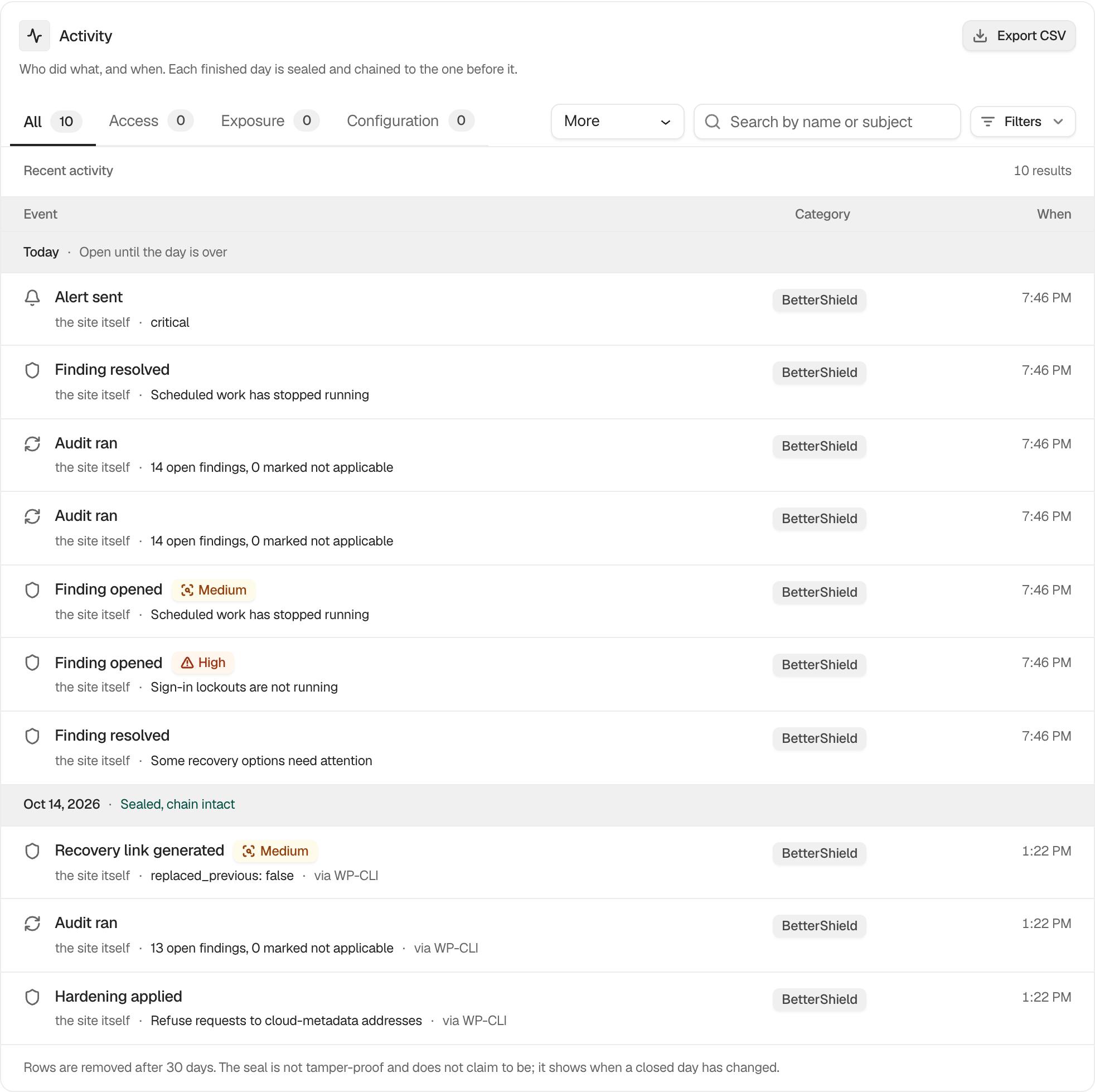
Find activity by category, person, process, network, date, or search term and keep a narrowed view in the page address.
In **[BetterShield](/)**, use the controls above the event list on **BetterShield › Activity › Site activity**.
## What it does
Category choices are **All activity** by default, then **Sign-in & accounts**, **Public information about your site**, **Site settings**, **Updates & extensions**, and **BetterShield itself**. **Search activity** matches the actor, target, event name, account login, or an IP address within its stored network.
**Filters** adds **Who** with **Anyone** by default, plus **From** and **To** dates in the site's time zone. A row can apply **Everything from this person** or **Everything from this network**. The page address retains these choices.
A search for a username also finds failed sign-in rows that list it among the names a burst of tries used. A line on **Recent sign-in attempts** opens this screen already narrowed to that network or name, from the first day of the period it counts. The name is placed in the search box and then taken out of the page address, so a reload does not bring back a search you cleared.
## Step 1: Filter and Search Site Activity
Choose a category, type a search term, or open **Filters**. Select **Clear filters** for the filter panel or **Clear all** beside the result count to reset the entire view.
Categories, search, people, networks, and dates can narrow the same retained history.
## Recommended settings
Start with a short date range, then narrow by actor or network. Search for an event family such as `sign-in` to include related recorded events.
## What it can break and how to undo
Filtering is read-only. Clear the controls to return to the full history.
## Final Outcome
The **Entries** figure and result count should change with the filters. Copy the page address, open it again, and confirm the same view returns.
Example Filter activity view. Check the saved values and status on your own site.
## Related
- [Export the activity log as CSV](/docs/export-activity-log/)
- [See who is trying to sign in](/docs/recent-sign-in-attempts/)
- [Review and manage grouped incidents](/docs/incident-records/)
- [Privacy and personal data](/docs/privacy-and-personal-data/)
This is how you can filter and search site activity with BetterShield.
Getting Stuck? Feel free to contact our [Dedicated Support Team](/support/).