# How To Review Activity and Operations in BetterShield Hub?
Review site changes, assistant calls, live site activity and multi-site operations with filters and export in BetterShield Hub.
In **[BetterShield Hub](/bettershield-hub/)**, **Activity › Activity** brings together changes, assistant calls, recent site events and Hub operations for the workspace.
_**Note:** Sign in to your free [BetterShield Hub](/bettershield-hub/) account. Your workspace role and site permissions determine which information and actions you can use._
## What it does
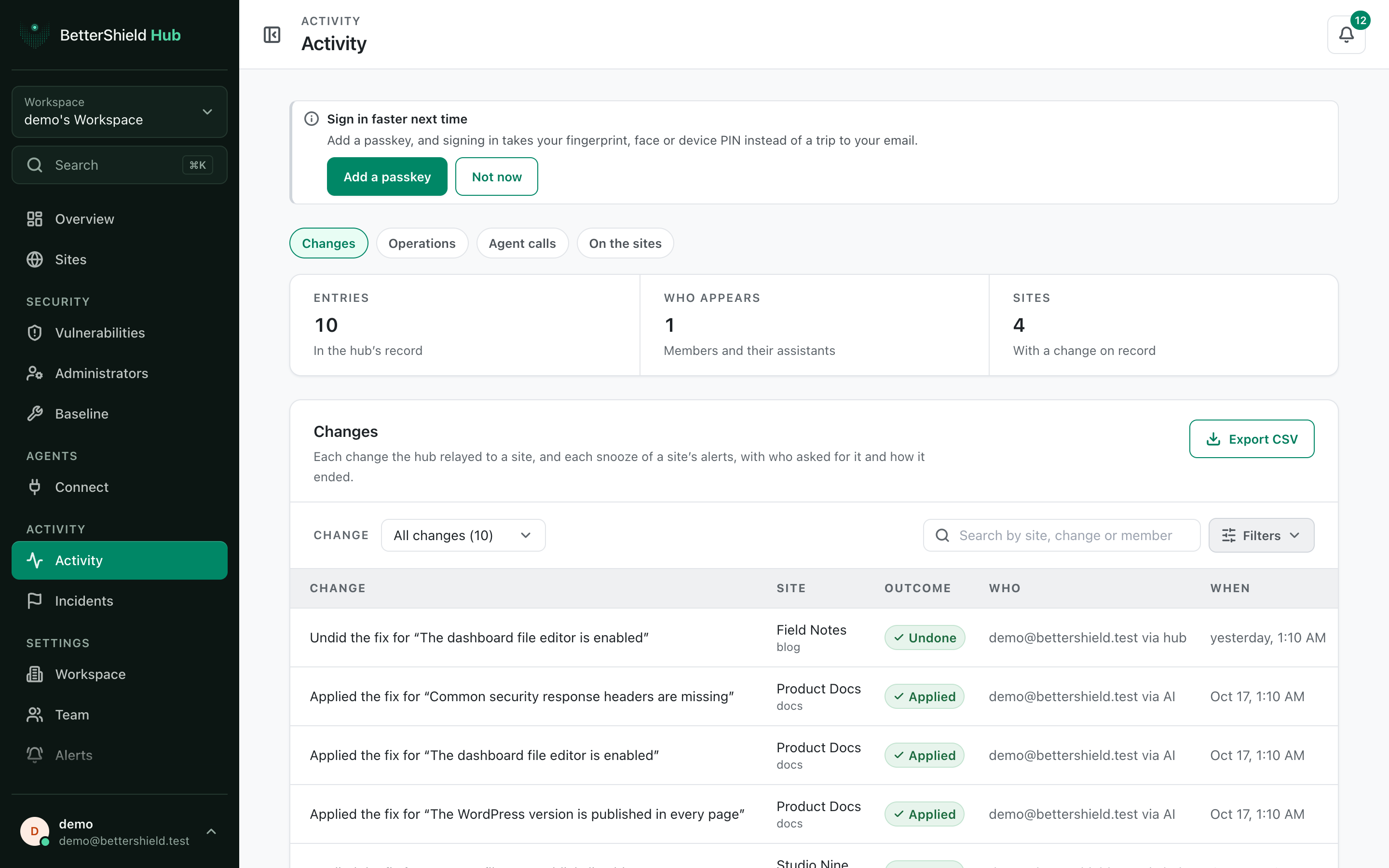
Use **Show** to move between recorded changes, assistant calls, site activity and operations. The summary gives **Activity at a glance**. Search, category and **Filters** narrow the list, and export saves the matching record when offered.
## Step 1: Open Activity › Activity
Open **Activity › Activity**.
Activity separates changes, calls, site events and operations while keeping shared filters.
## Step 2: Review activity and operations
- Choose a **Show** tab. The default is the workspace change view.
- Search or choose a category.
- Open **Filters** to choose **Site**, **Member**, **From** and **To**.
- Open an operation to see every site in that run.
Filters start empty and show all matching recent rows.
## Recommended settings
Our advice:
- Filter by site before investigating one change.
- Use the calls view to check what an assistant asked Hub to do.
- Open operations after baseline or fleet-check runs to review partial results.
## What it can break and how to undo
Reading, filtering and exporting change nothing. An export creates a separate file under your control.
Undo a recorded site change from the feature that made it when an undo is available. The Activity screen itself does not reverse rows.
## Final Outcome
Summary totals and rows load.
- Filters change the matching count.
- Opening an operation shows each site's state and result.
- Recent Hub actions appear after refresh.
Example Hub activity view. Check the saved values and status on your own site.
## Related
- [Activity log](/docs/activity-log/)
- [Run a check across sites](/docs/hub-run-checks/)
- [Apply a Hub baseline](/docs/hub-baseline/)
This is how you can review activity and operations in BetterShield Hub.
Getting Stuck? Feel free to contact our [Dedicated Support Team](/support/).