# How To Export your BetterShield Hub Account Data?
Download the personal and workspace data BetterShield Hub makes available to your account.
In **[BetterShield Hub](/bettershield-hub/)**, **Your data** on **Settings › Account** prepares the Hub data available to your account for download.
_**Note:** Sign in to your free [BetterShield Hub](/bettershield-hub/) account. Your workspace role and site permissions determine which information and actions you can use._
## What it does
The export provides a portable copy of the account and workspace information Hub offers to you. It does not reach into connected sites for arbitrary WordPress content.
## Step 1: Open Settings › Account
Open **Settings › Account**.
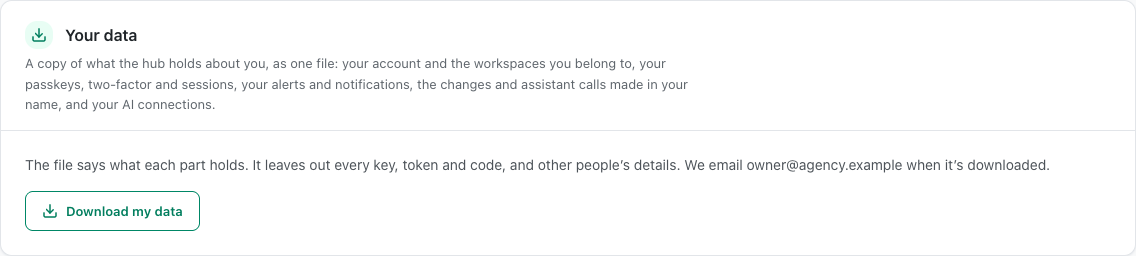
The Your data card explains what the account export contains before you download it.
## Step 2: Export your BetterShield Hub account data
- Find **Your data**.
- Start the export and confirm it is you when asked.
- Save the downloaded file in an appropriate location.
There is no automatic or scheduled export.
## Recommended settings
Our advice:
- Export before leaving a workspace when you are authorized to keep the record.
- Store the file as carefully as the Hub account itself.
- Remove old exports when they are no longer needed.
## What it can break and how to undo
Exporting changes no Hub data. The downloaded file is a separate copy and cannot be recalled from another device or storage service.
Delete that copy through the device or storage system where you saved it.
## Final Outcome
The export action completes without an account error.
- The browser downloads a file.
- The file contains only data available to the signed-in account.
The Your data card explains what the account export contains before you download it.
## Related
- [Manage your Hub account](/docs/hub-account/)
- [Leave a Hub workspace](/docs/leave-hub-workspace/)
- [Privacy and personal data](/docs/privacy-and-personal-data/)
This is how you can export your BetterShield Hub account data.
Getting Stuck? Feel free to contact our [Dedicated Support Team](/support/).