# How To Review Incidents Across BetterShield Hub?
Review open incidents, decoy coverage and per-site incident timelines across a BetterShield Hub workspace.
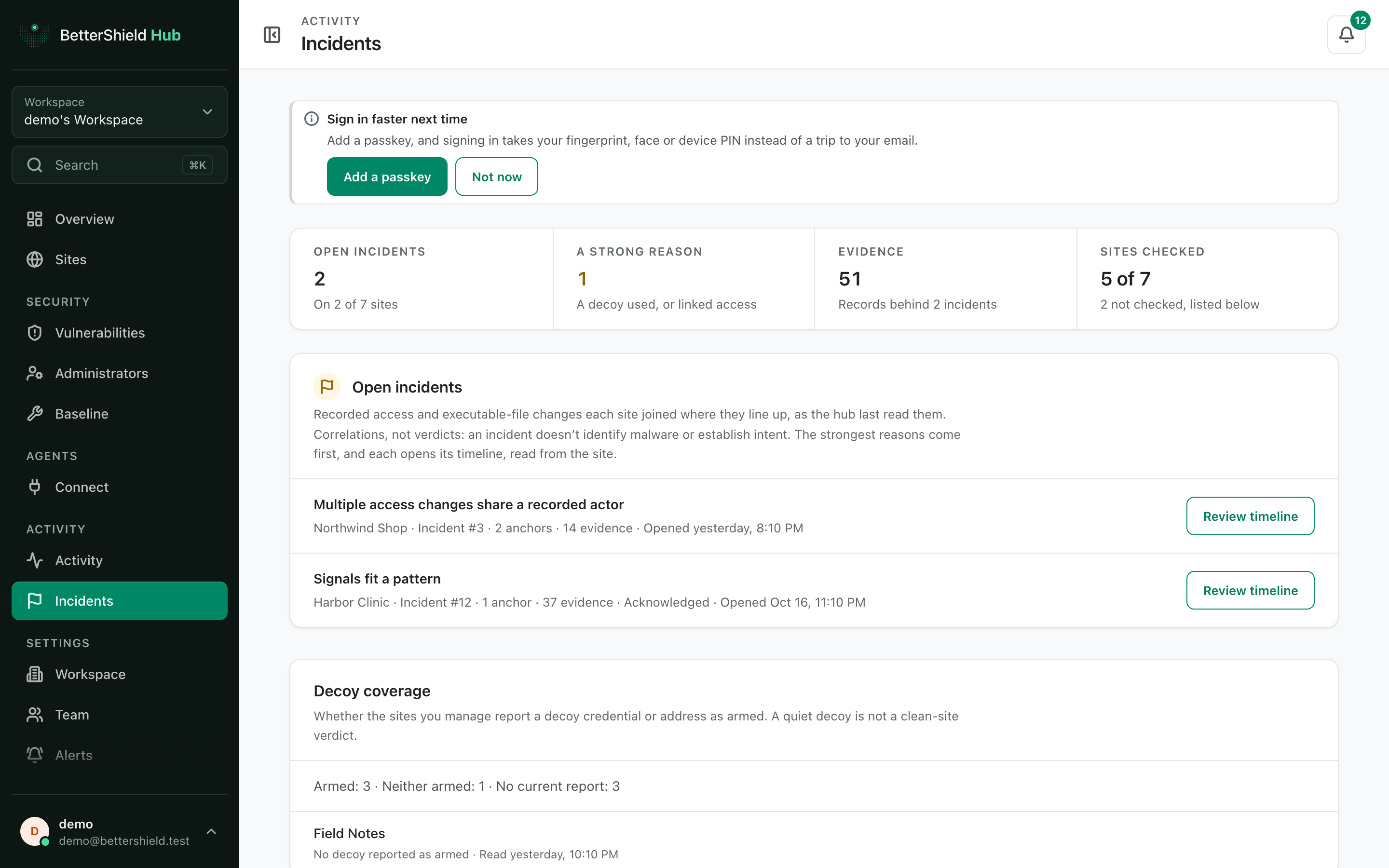
In **[BetterShield Hub](/bettershield-hub/)**, **Activity › Incidents** collects the open incidents reported by sites in the workspace and shows whether each site reports a decoy as armed.
_**Note:** Sign in to your free [BetterShield Hub](/bettershield-hub/) account. Your workspace role and site permissions determine which information and actions you can use._
## What it does
**Open incidents** lists related recorded changes across sites. **Review timeline** opens the evidence and triage details read from that site. **Decoy coverage** shows which sites report a decoy credential or address as armed.
**Not checked, or out of date** identifies incomplete site reports.
## Step 1: Open the feature
Connect sites with security read access.
An incident is a correlation to review, not a verdict.
## Step 2: Review incidents across BetterShield Hub
- Open **Activity › Incidents**.
- Select **Review timeline** on an incident.
- Read the anchors and evidence before choosing a triage state or site action.
There are no Hub incident defaults. Incidents are opened and updated by each site.
## Recommended settings
Our advice:
- Review the strongest reasons and surrounding timeline first.
- Confirm the actor and expected maintenance before changing an account or file.
- Treat quiet decoy coverage as one signal, not proof that a site is clear.
## What it can break and how to undo
Reading the list or timeline changes nothing. A triage label changes only how the incident is organized. Any response action follows the site's own confirmation and undo rules.
If evidence is old, refresh it before deciding.
## Final Outcome
Open incidents show their site, anchors and evidence count.
- **Review timeline** opens the selected incident.
- Decoy coverage and stale-site lists load separately.
Example Hub incidents view. Check the saved values and status on your own site.
## Related
- [Incidents](/docs/incidents/)
- [Review incident evidence](/docs/incident-evidence/)
- [Prepare an incident response plan](/docs/incident-response-plan/)
This is how you can review incidents across BetterShield Hub.
Getting Stuck? Feel free to contact our [Dedicated Support Team](/support/).