# How To Monitor MCP Endpoints and Ability Changes With BetterShield?
Review other plugins’ AI connections, public endpoints and registered abilities, and investigate changes without granting access.
With **[BetterShield](/)**, review other plugins’ AI connections, public endpoints and registered abilities, and investigate changes without granting access.
## What it does
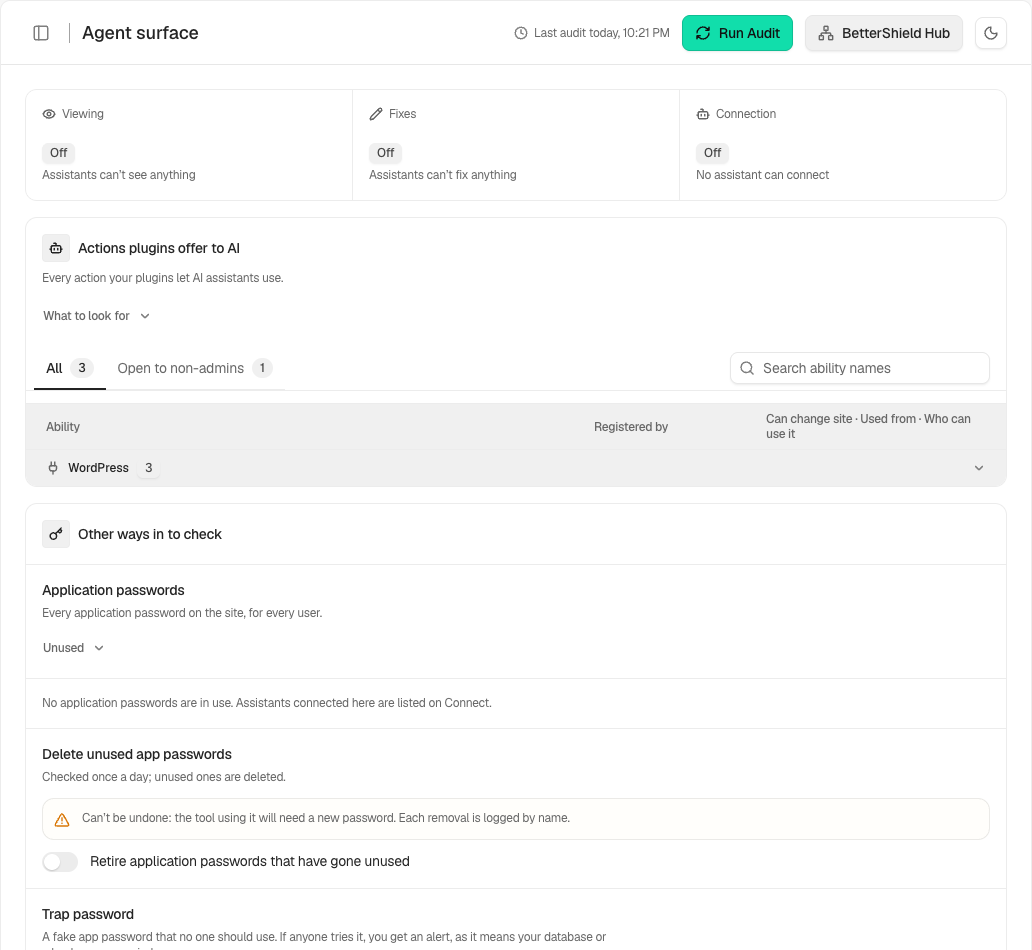
**BetterShield › Agents › Agent surface** shows the AI-facing surface registered on the site, including other plugins’ MCP connections and abilities. Current versions monitor endpoints and changes to that surface. Visibility is not approval or proof that an endpoint is safe.
## Step 1: Open Agent surface
Open **Agent surface** and review **Other plugins’ AI connections**.
Review the state and choices shown on your own site before applying a change.
## Step 2: Monitor MCP endpoints and ability changes
- Review the endpoints and the abilities each plugin offers. Use **Show abilities** and **Search ability names** where offered.
- Compare unexpected changes with recent plugin installations, updates and configuration changes.
- Review the relevant finding or activity evidence before changing the responsible plugin.
## Recommended settings
Our advice is to keep only the connections the site needs and investigate newly exposed write abilities. Read access and a limited per-app tool list reduce what your own BetterShield connection can do, but do not configure another plugin’s server for it.
## What it can break and how to undo
Reviewing the surface reads only. Revoking an app password or disabling another plugin’s endpoint can interrupt its integrations. Use that integration’s own settings and recovery instructions; a revoked secret cannot be reconstructed.
## Final Outcome
Confirm expected providers and abilities appear and that changes are identified after a relevant plugin update. An unavailable check must remain distinguishable from a finding that the endpoint was tested and safe.
Example Monitor agent surface view. Check the saved values and status on your own site.
## Related
- [Registered abilities](/docs/registered-agent-abilities/)
- [Per-app tool limits](/docs/assistant-tool-limits/)
- [Agent activity](/docs/review-agent-activity/)
This is how you can monitor MCP endpoints and ability changes with BetterShield.
Getting Stuck? Feel free to contact our [Dedicated Support Team](/support/).