# How To Review the Network Activity Log With BetterShield?
Filter recorded activity across multisite by site, category, person, network, search, and date.
In **[BetterShield](/)**, open **Network Admin › BetterShield › Activity › Site activity**.
## What it does
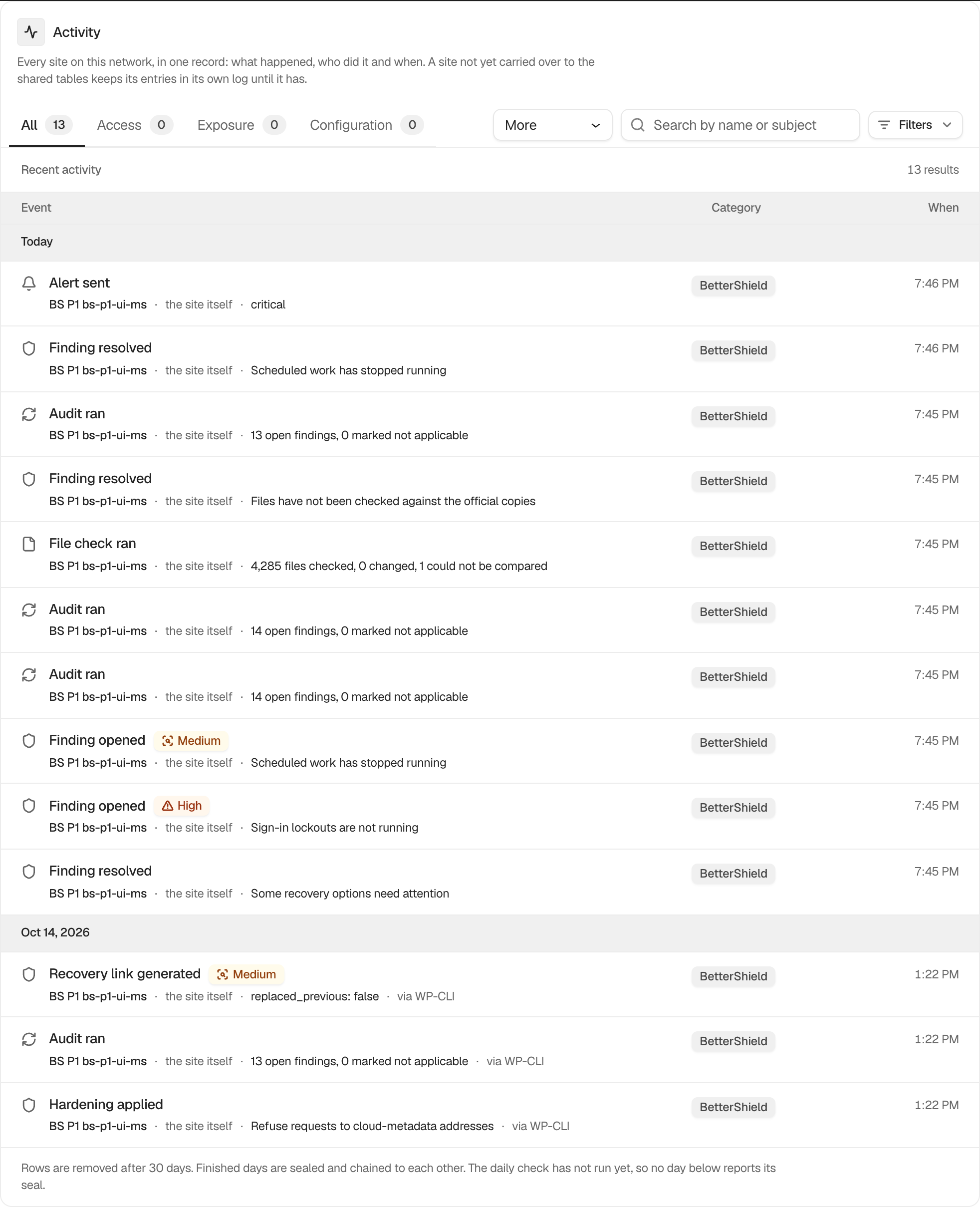
The network list combines carried-over activity and names the site on each row. **Site** defaults to **Every site**. The category, search, actor, network, and date controls work like the site-level log. Rows for network sites being deleted, archived, deactivated or marked as spam appear here under **Site settings**. See [See network sites deleted, archived or marked as spam](/docs/network-site-changes/).
The Network Admin view has no CSV export and no daily-seal display. Use an individual site's log for those, or run `wp bettershield activity --sites=all`.
## Step 1: Review the Network Activity Log
Let the shared-table migration finish, then choose a site or leave **Every site** selected. Apply the other filters needed for the review.
The network view adds site context to the familiar activity filters.
## Recommended settings
Start with a narrow date range. Filter one site before following an event into its site-level evidence or response controls.
## What it can break and how to undo
Filtering is read-only. Clear the controls to return to every site. An incomplete migration can make the view incomplete without changing source logs.
## Final Outcome
Choose one site and confirm every result names it. Compare a row with the same site's own Activity screen.
Example Network activity log view. Check the saved values and status on your own site.
## Related
- [Filter and search site activity](/docs/filter-activity-log/)
- [Export the activity log as CSV](/docs/export-activity-log/)
- [Monitor the network log migration](/docs/network-log-migration/)
- [See network sites deleted, archived or marked as spam](/docs/network-site-changes/)
This is how you can review the network activity log with BetterShield.
Getting Stuck? Feel free to contact our [Dedicated Support Team](/support/).