# How To Review Plain-language Explanation Usage With BetterShield?
See whether AI explanations are available, how many provider calls were made, and how cached answers reduce repeat calls.
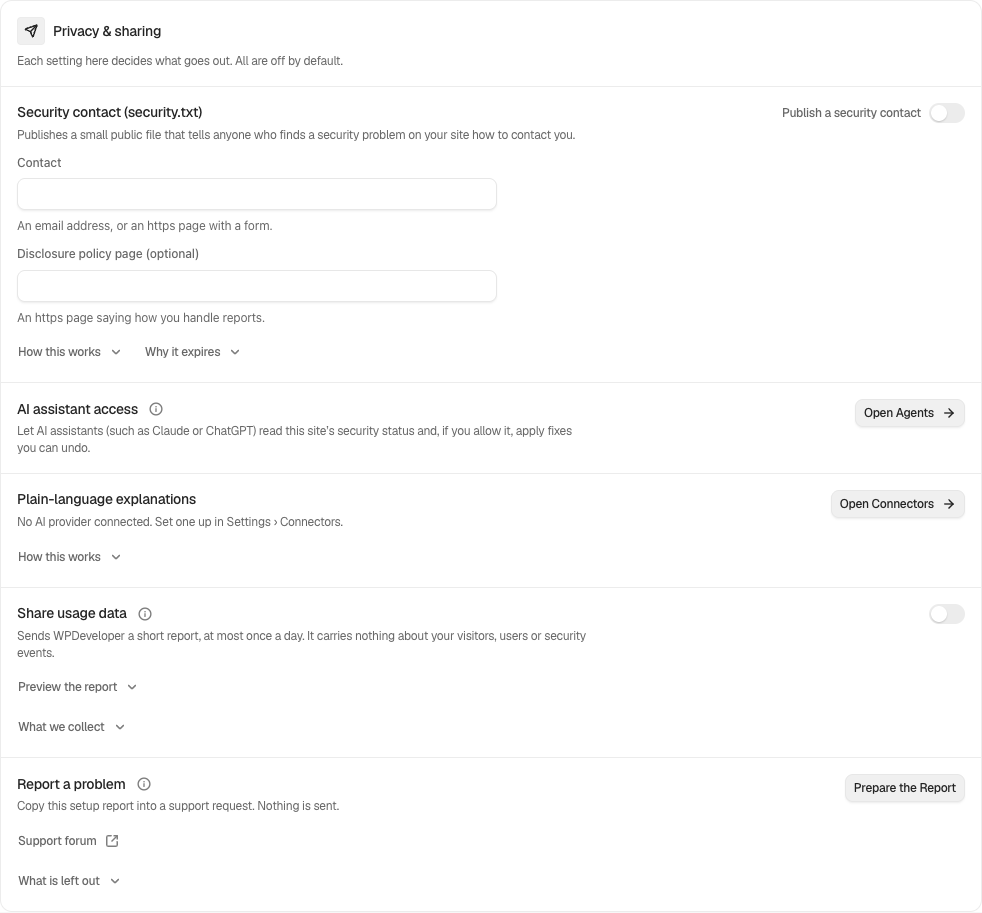
In **[BetterShield](/)**, open **BetterShield › Settings › General › Privacy & sharing › Plain-language explanations**.
## What it does
The row reports explanations asked of the connected WordPress AI provider this month and how many were answered from earlier requests. An answer is reused until the underlying evidence changes. The free plugin allows up to 20 explanation requests per hour for each account.
A request can contain one finding's evidence, up to 12 open findings for **Explain My Audit**, or one incident with account and file names replaced by placeholders. BetterShield stores no provider key.
## Step 1: Review Plain-language Explanation Usage
Use WordPress 7.0 or newer and connect a compatible provider under WordPress connector settings. Request an explanation from a finding, the Overview, or an incident.
The row separates new provider requests from answers reused from earlier requests.
## Recommended settings
Read a cached explanation again when the evidence has not changed. Verify operational decisions against the original evidence.
## What it can break and how to undo
Requests send the described evidence to your provider and may consume its quota or incur its charges. Disconnect or disable the provider in WordPress to stop new requests.
## Final Outcome
After one explanation, the monthly provider-call count should rise. Reading it again without changed evidence should raise the reused count instead.
Example Explanation usage view. Check the saved values and status on your own site.
## Related
- [Ask for a plain-language audit explanation](/docs/explain-an-audit/)
- [Ask for a plain-language incident explanation](/docs/explain-an-incident/)
- [What BetterShield contacts](/docs/what-bettershield-contacts/)
This is how you can review plain-language explanation usage with BetterShield.
Getting Stuck? Feel free to contact our [Dedicated Support Team](/support/).