# How To Pause Routine Alerts During Planned Maintenance With BetterShield?
Hold routine work-related alerts for 30 minutes to 4 hours while keeping protections and important alert paths active.
In **[BetterShield](/)**, use **BetterShield › Settings › Email Alerts › Planned maintenance**.
## What it does
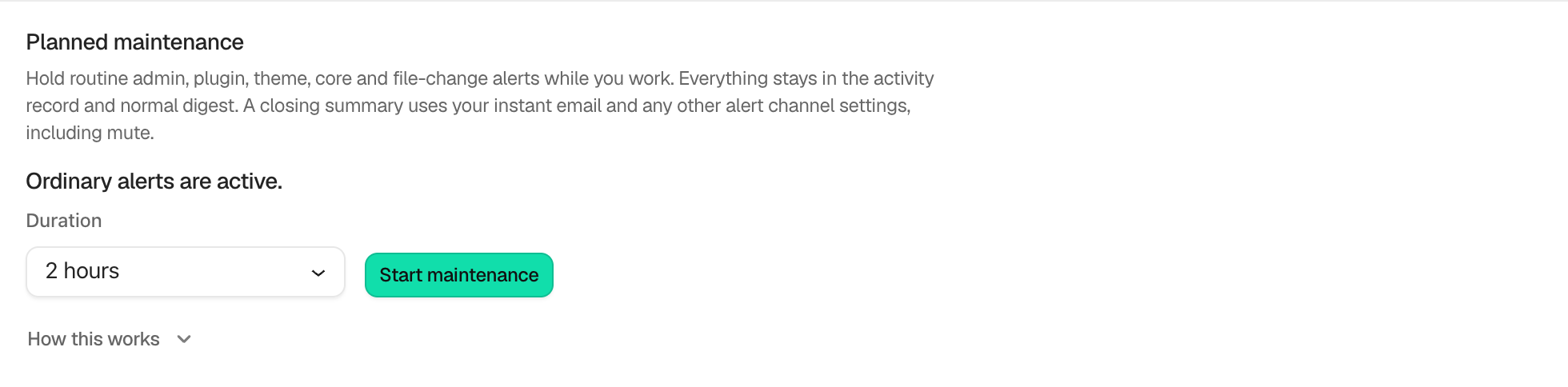
**Duration** offers **30 minutes**, **1 hour**, **2 hours**, and **4 hours**, with **2 hours** preselected. **Start maintenance** holds routine administrator, plugin, theme, core, and file-change alerts. Events remain in Activity and the normal digest. A closing summary follows the configured instant-email and mute choices. It counts as a high alert, so it reaches addresses set to **High and critical**. An address set to **Critical only** gets it only when something in it is critical, and an address set to **None** does not get it. See [Choose what each address gets](/docs/choose-what-each-address-gets/).
Critical events, decoy hits, lockdowns, passkey-only arming, and protection changes keep their normal immediate path. Enforcement remains on. The window expires automatically even if scheduled work is late.
## Step 1: Pause Routine Alerts During Planned Maintenance
Choose the duration and select **Start maintenance**. Use **End maintenance** to finish early. If a summary remains pending, use **Finish summary**.
The window has an automatic end and keeps a count of recorded and held events.
## Recommended settings
Choose the shortest window that covers the planned work. Start it immediately before changes, not hours earlier.
## What it can break and how to undo
Routine messages are delayed into the closing summary and may be absent if all alerts are muted. End the window to resume ordinary delivery. Recorded events are not lost.
## Final Outcome
The row should show **Active until** with a time and count recorded versus held events.
Example Planned maintenance alerts view. Check the saved values and status on your own site.
## Related
- [Mute email alerts](/docs/mute-email-alerts/)
- [Send important security alerts straight away](/docs/instant-security-alerts/)
- [Filter and search site activity](/docs/filter-activity-log/)
This is how you can pause routine alerts during planned maintenance with BetterShield.
Getting Stuck? Feel free to contact our [Dedicated Support Team](/support/).