# How To Run Quick Setup Again With BetterShield?
Reopen Quick Setup with current choices preselected and change only the answers you want to revise.
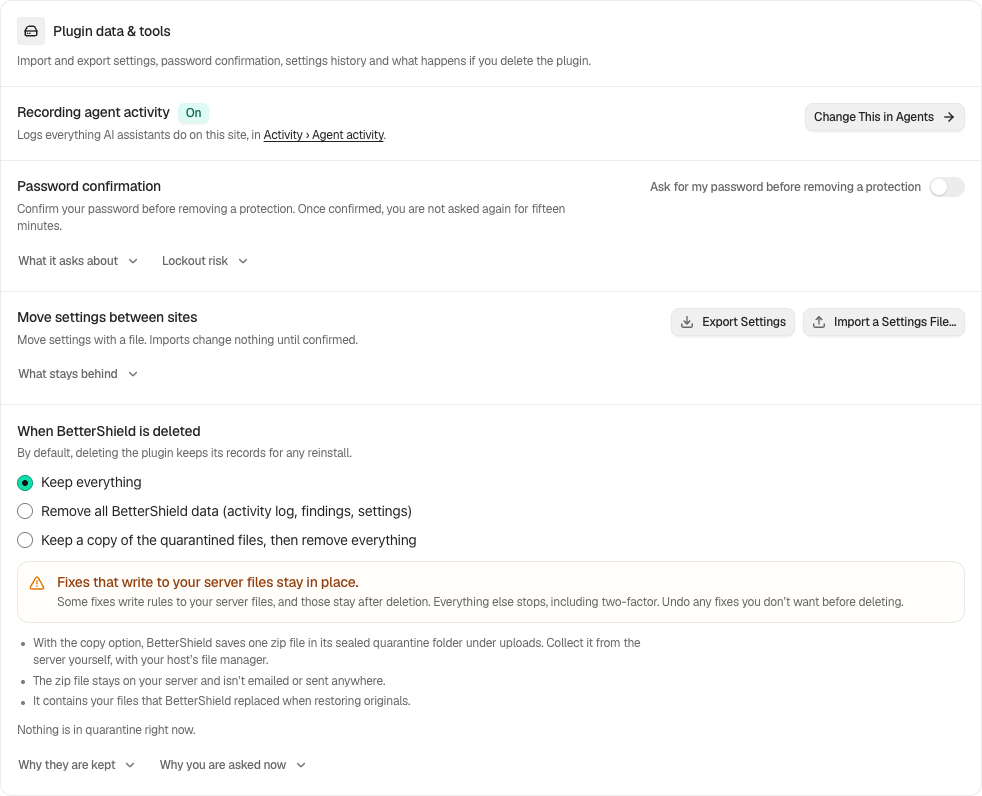
In **[BetterShield](/)**, after initial setup, **Run Quick Setup again** appears under **BetterShield › Settings › General › Plugin data & tools**.
## What it does
Quick Setup opens with the site's current choices. Completing it changes only answers you revise. It can cover selected low-risk protections, the sign-in attempt limit, how visits reach your site, the alert destination, and the optional usage-data answer available to the current administrator. The summary at the end offers **Set Up Recovery** and **Set Up Two-Factor**, which open **Protection › Recovery** and **Protection › Two-Factor**.
## Step 1: Run Quick Setup Again
Select **Run Quick Setup again**, move through each step, review the summary, and finish.
Quick Setup can be reopened without resetting the rest of the installation.
If the Overview still reports a shared sign-in or two-factor job, use its **Migrate** action to revisit Coexistence. Before deactivating a source, review [what can move and what needs setup again](/docs/migrate-two-factor/).
## Recommended settings
Run it after ownership changes, a staging-to-live move, or a review of the site's baseline. Read each current choice instead of treating the flow as a reset.
## What it can break and how to undo
Revised answers can enable or disable the corresponding feature. Use that feature's own screen or settings history to put back a supported setting. Recovery links and recovery codes have their own lifecycle and are not restored by a general settings undo.
## Final Outcome
Return to Overview and Settings. Confirm only the choices changed in the flow have moved.
Example Run Quick Setup again view. Check the saved values and status on your own site.
## On multisite
Quick Setup runs per site. Only a super administrator is asked the network's usage-data choice, and network policy floors may lock a required choice on.
## Related
- [Install and set up](/docs/install-and-set-up/)
- [Set up recovery](/docs/set-up-recovery/)
- [Review every site on the network](/docs/network-site-overview/)
This is how you can run quick setup again with BetterShield.
Getting Stuck? Feel free to contact our [Dedicated Support Team](/support/).