# How To Filter and Review Agent Activity With BetterShield?
Review recorded ability calls by outcome, namespace, connection door, and date without storing input contents.
In **[BetterShield](/)**, open **BetterShield › Activity › Agent activity** to review calls to abilities registered by any plugin.
## What it does
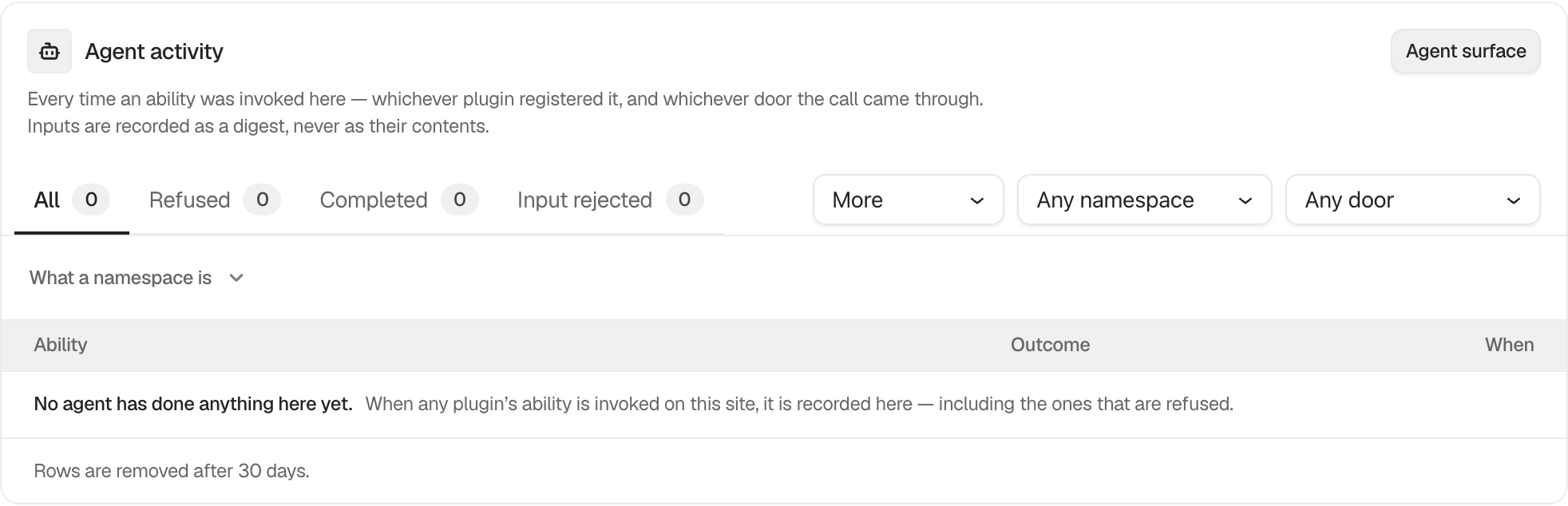
Outcome views include **All**, **Refused**, **Completed**, **Input rejected**, **Input unreadable**, **Output rejected**, **Answered early**, **Failed**, and **Did not finish**. **Namespace** narrows the plugin or ability family. **Came through** offers **Any door** by default, then **MCP**, **REST**, **WP-CLI**, and **PHP**.
Each row names the ability, outcome, route, and time. Inputs are stored as a digest, never as their contents. Rows are kept for 30 days in the free plugin.
## Step 1: Filter and Review Agent Activity
Recording is on by default. Choose an outcome, namespace, or door to narrow the view. Use **Agent surface** to inspect the current ability registry.
The log records the result and route of a call without storing its input contents.
## Recommended settings
Review refused and failed calls first. Compare unexpected calls with the connection and application password that could reach the site.
## What it can break and how to undo
Filtering is read-only. Turning recording off stops future rows but does not remove existing rows immediately. Turn it back on under **Agents › Permissions**.
## Final Outcome
Use a connected assistant to make a permitted read call, then confirm a completed row appears with the correct door and namespace.
Example Review agent activity view. Check the saved values and status on your own site.
## Related
- [Record what agents do on this site](/docs/agent-activity-recording/)
- [Review abilities registered on this site](/docs/registered-agent-abilities/)
- [Create, test and end assistant connections](/docs/assistant-connections/)
This is how you can filter and review agent activity with BetterShield.
Getting Stuck? Feel free to contact our [Dedicated Support Team](/support/).