# How To Use the BetterShield Ultra Schedules Screen?
Review BetterShield scheduled work and start supported security checks early without changing their next scheduled run.
With **[BetterShield Ultra](/ultra/)**, review BetterShield scheduled work and start supported security checks early without changing their next scheduled run.
_**Note:** These controls require the paid [BetterShield Ultra](/ultra/) add-on alongside the free BetterShield plugin._
## What it does
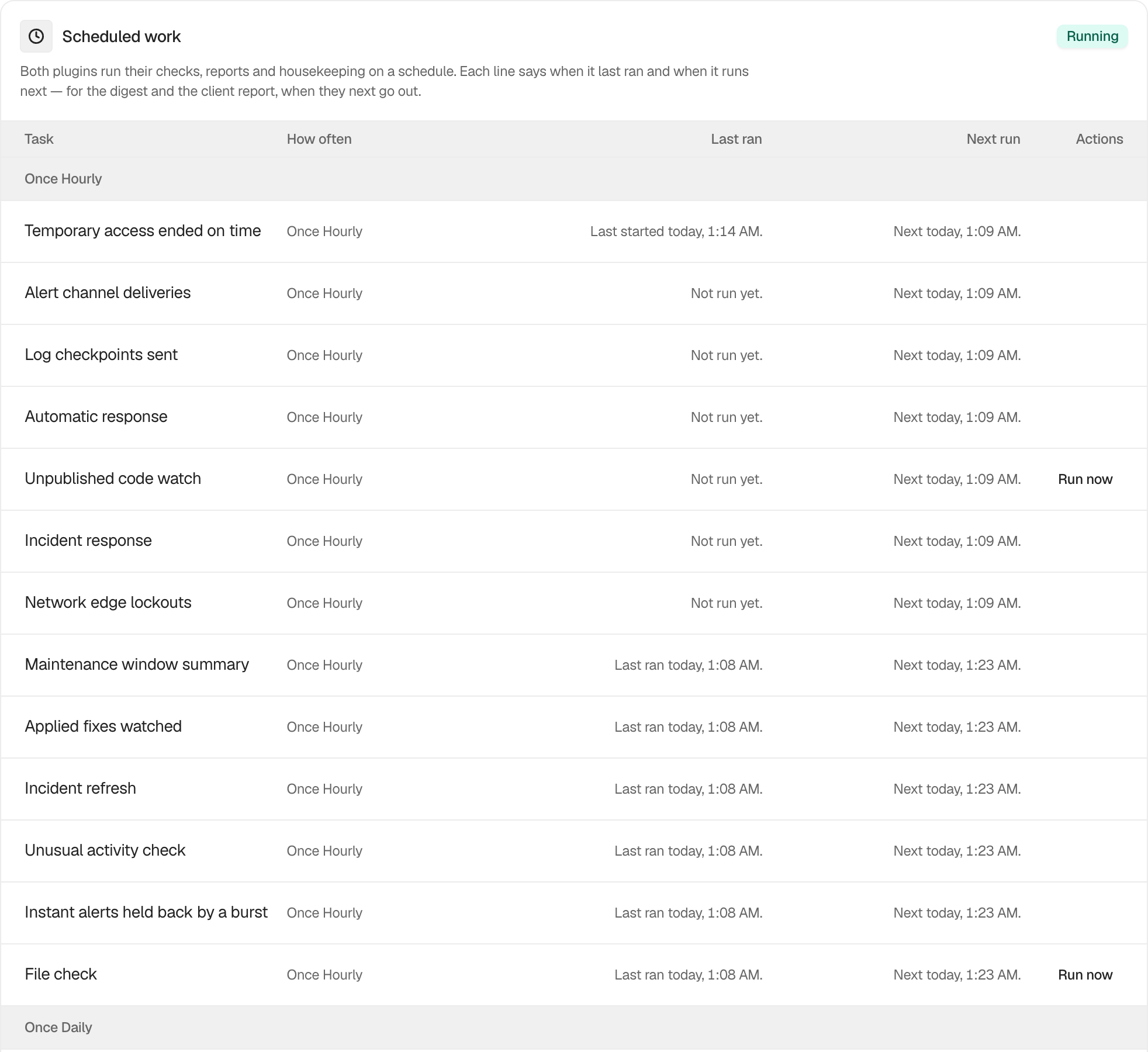
**BetterShield › Ultra › Scheduled tasks** shows the checks, reports and housekeeping that BetterShield and Ultra run automatically.
Use the focused guides to:
- [Monitor scheduled work](/docs/monitor-scheduled-work/), including the last result, next run and a warning when WordPress scheduling is behind.
- [Run a supported check early](/docs/run-ultra-checks-early/) without moving its next scheduled run.
## Step 1: Use the BetterShield Ultra Schedules Screen
There are no settings. Open the screen to read the schedule. **Run now** appears only beside **Security audit**, **File check**, **Certificate check** and **Unpublished code watch**.
 ## Recommended settings
Review this screen after migrating a site, changing its WordPress cron configuration or noticing a late report. Use **Run now** only when you need a result before the next scheduled run.
## What it can break and how to undo
Viewing the schedule changes nothing. Starting a check can add temporary server load and cannot be cancelled from this screen. Its regular schedule remains unchanged.
## Final Outcome
The card badge reads **Running**, recurring tasks have future times under **Next run**, and completed tasks have recent **Last ran** entries. A **Behind** warning means WordPress scheduled work needs attention.
## On multisite
The screen reports the scheduled work available in the current site or network context.
## Related
- [Monitor scheduled work](/docs/monitor-scheduled-work/)
- [Run an Ultra check early](/docs/run-ultra-checks-early/)
- [Scheduled audits](/docs/scheduled-audits/)
This is how you can use the BetterShield Ultra schedules screen.
Getting Stuck? Feel free to contact our [Dedicated Support Team](/support/).