# How To See BetterShield Findings in Site Health?
Read BetterShield's open findings alongside WordPress tests on the Site Health Status tab.
[BetterShield](/) adds its open findings to **Tools › Site Health › Status**.
## What it does
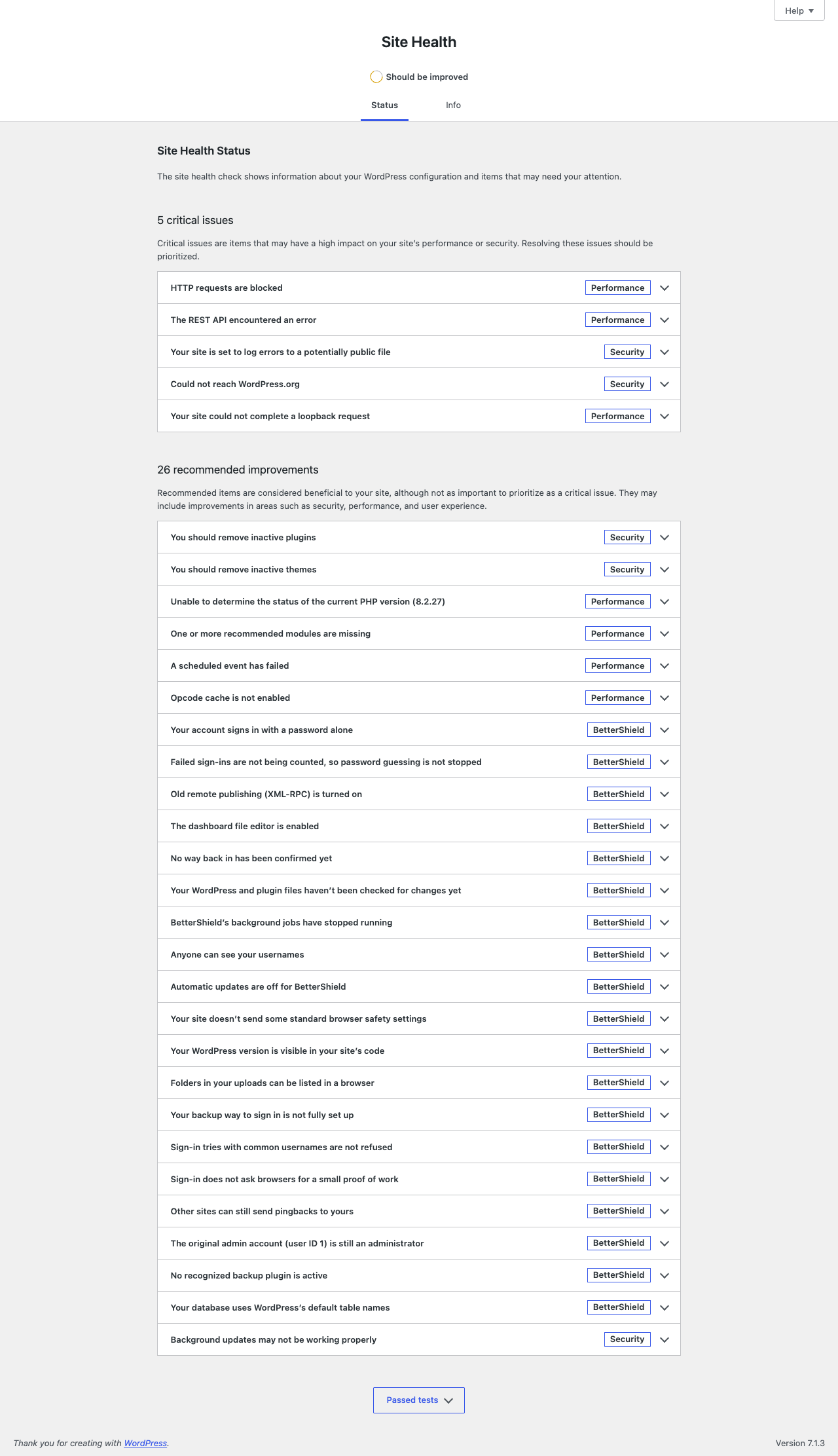
Each eligible open finding becomes a Site Health test. Snoozed findings are included. Critical findings appear as critical; all other severities appear as recommended. Each test includes why it matters, what to consider before acting, the audit time, and **See the finding in BetterShield**.
When the audit is more than two days old, the test says it is overdue. With nothing open, one passing test reads **BetterShield has no open security findings** while the audit remains current.
BetterShield leaves out a small set of checks WordPress already reports on that WordPress version. They remain in **BetterShield › Findings** and still affect the score.
## Step 1: See BetterShield Findings in Site Health
No setup is required. Run a BetterShield audit, then open the Site Health Status tab.
BetterShield results carry their own badge so they can be distinguished from WordPress tests.
## Recommended settings
Use Site Health for the combined view. Open BetterShield for evidence, statuses, and actions.
## What it can break and how to undo
The integration is read-only. There is no separate switch. Deactivating BetterShield removes its tests.
## Final Outcome
Confirm BetterShield tests carry a **BetterShield** badge and that their links open the matching finding.
Example Site Health findings view. Check the saved values and status on your own site.
## Related
- [Dashboard and Site Health](/docs/dashboard-and-site-health/)
- [Read and filter the Findings report](/docs/findings-report/)
- [Run and monitor scheduled audits](/docs/scheduled-audits/)
This is how you can see BetterShield findings in site health.
Getting Stuck? Feel free to contact our [Dedicated Support Team](/support/).