# How To See BetterShield Data Details in Site Health?
Use the Site Health Info tab to see what BetterShield keeps about people, retention, and erasure behavior.
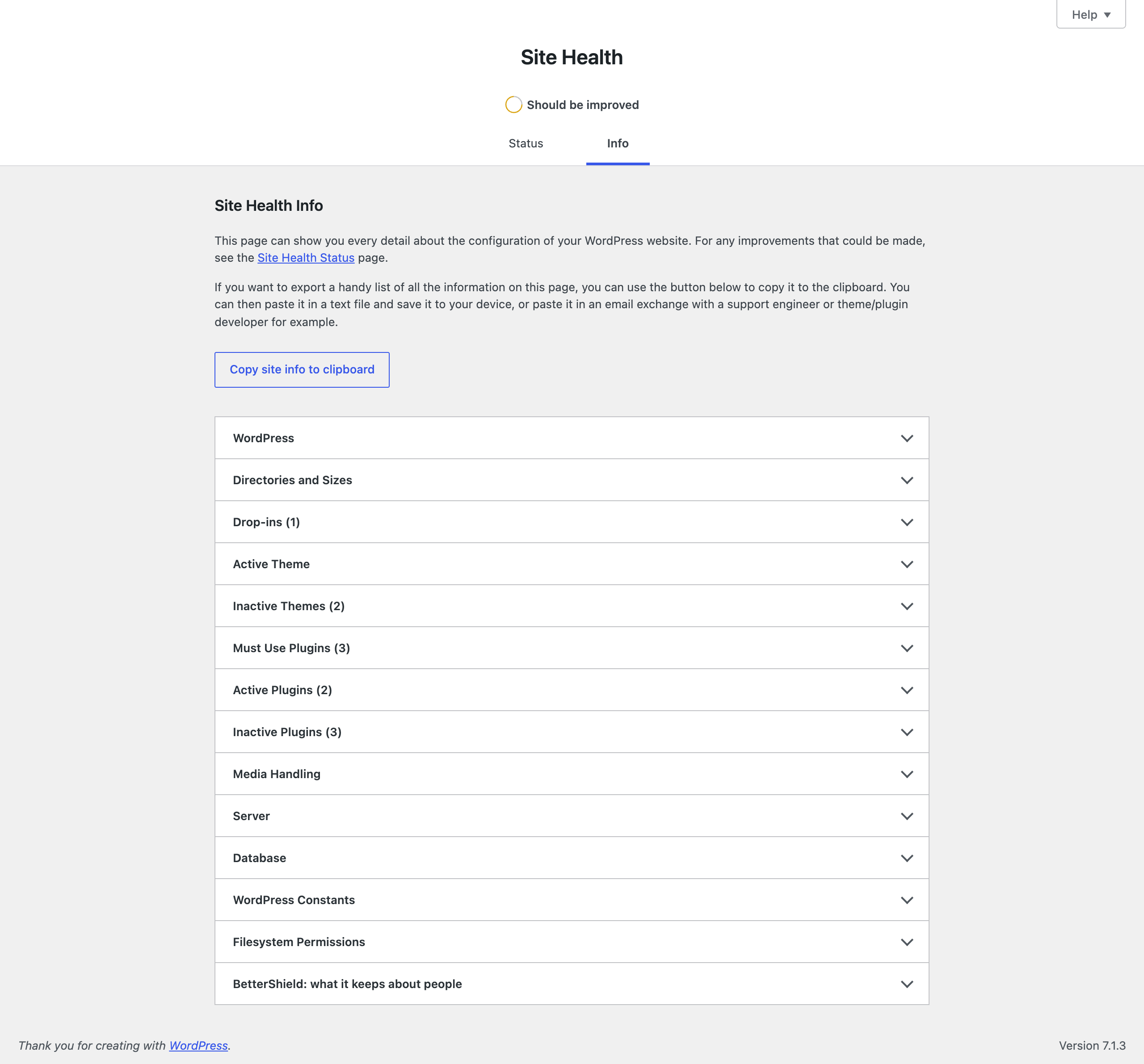
Open **Tools › Site Health › Info** and expand **[BetterShield](/): what it keeps about people**.
## What it does
The section lists each kind of record BetterShield keeps about a person, how long it is retained, and whether an erasure request removes or keeps it. **How long the activity log is kept** states the current retention period.
The section describes the data model. It does not expose activity rows, account details, IP networks, or other people's values.
## Step 1: See BetterShield Data Details in Site Health
No setup is required. The section is added while BetterShield is active.
The Info tab describes BetterShield's record types without listing anyone's stored values.
## Recommended settings
Use this section when preparing a privacy review or a diagnostic report. Copy only the information needed for that purpose.
## What it can break and how to undo
Opening or copying the section changes nothing. Deactivating BetterShield removes the section from Site Health but does not itself erase stored plugin data.
## Final Outcome
Confirm the BetterShield section opens and the activity-log retention matches the value shown on **BetterShield › Activity › Site activity**.
Example Site Health data details view. Check the saved values and status on your own site.
## Related
- [Privacy and personal data](/docs/privacy-and-personal-data/)
- [Activity log](/docs/activity-log/)
- [Choose what plugin deletion leaves behind](/docs/deletion-data-choice/)
This is how you can see BetterShield data details in site health.
Getting Stuck? Feel free to contact our [Dedicated Support Team](/support/).