# How To Use the Dashboard Widget With BetterShield?
Use the BetterShield dashboard widget to see the last score, open findings, audit time, and important states.
Administrators can see the **[BetterShield](/)** widget on **Dashboard › Home**.
## What it does
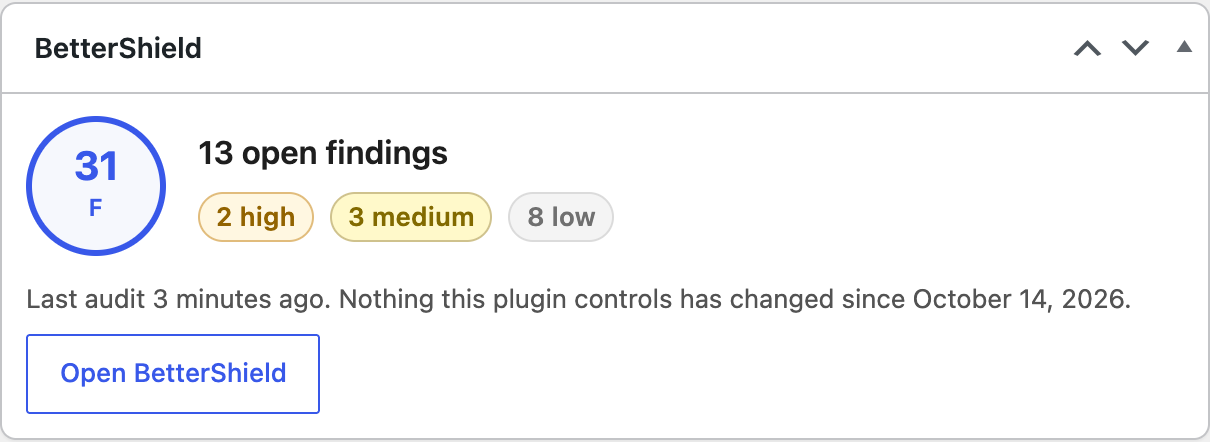
The widget shows the score and grade, open finding count by severity, last audit time, and the last change BetterShield controls. Snoozed findings still count. Not-applicable findings do not. It also states when safe mode is active or alerts are muted.
## Step 1: Use the Dashboard Widget
The widget is added automatically for administrators. If hidden, open **Screen Options** at the top of **Dashboard › Home** and tick **BetterShield**.
The widget reads the last completed audit and links to the full Overview.
## Recommended settings
Keep the widget visible for administrators who review site health. Use **Open BetterShield** when the score or finding count changes.
## What it can break and how to undo
The widget is read-only. Hide it with **Screen Options** if it is not useful.
## Final Outcome
Open **BetterShield › Overview**, return to the WordPress Dashboard, and confirm the score and audit time match **BetterShield › Overview**.
Example Dashboard widget view. Check the saved values and status on your own site.
## On multisite
Each site's dashboard widget shows that site's audit. Network-wide status is under **Network Admin › BetterShield › Network**.
## Related
- [Dashboard and Site Health](/docs/dashboard-and-site-health/)
- [Understand your security score and grade](/docs/security-score/)
- [Review every site on the network](/docs/network-site-overview/)
This is how you can use the dashboard widget with BetterShield.
Getting Stuck? Feel free to contact our [Dedicated Support Team](/support/).