How To Send Alerts With BetterShield Ultra?
Send BetterShield alerts or selected activity to Slack, a JSON webhook, a syslog collector or email addresses with BetterShield Ultra.
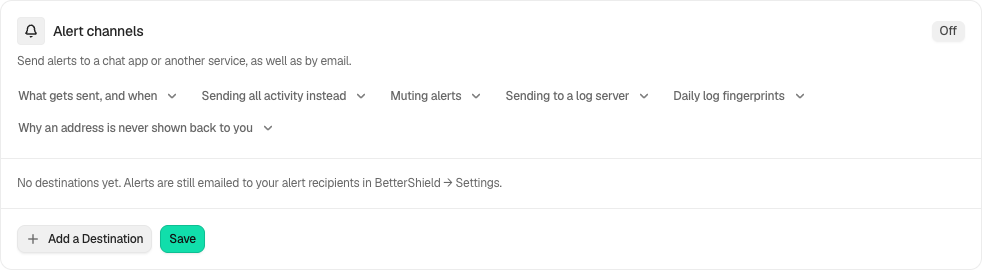
In BetterShield Ultra, BetterShield › Ultra › Alert channels can send to up to five saved destinations. No destination exists until you add one. Site email alerts remain separate. A destination that sends alerts can also carry rules for chosen activity.
Note: These controls require the paid BetterShield Ultra add-on alongside the free BetterShield plugin.
Step 1: Open Add a Destination
Select Add a Destination and choose Send to.
Step 2: Send Alerts
- Give it a Name and enter the fields required by its kind.
- Choose Alerts only or All activity (full activity log) where offered. For alerts, the default is High and critical; Critical only is also offered. For full activity, choose the activity types.
- Save before pressing Send a Test Message. Tests use the saved destination, not unsaved fields.
| Destination | Configuration |
|---|---|
| Slack | An HTTPS incoming webhook. |
| Microsoft Teams (Workflows) | A Workflows webhook. Retired Office 365 connector addresses are refused. |
| Google Chat | A webhook created in the space’s Apps and integrations. |
| Discord | A webhook from the channel’s Integrations settings. |
| Other service (webhook) | HTTPS address, format and any required connector key. |
| Server log system (syslog) | Host, port, facility, transport and format. Public collectors require TLS; a private collector requires the explicit private-network choice. |
| PagerDuty or Opsgenie | Incident paging, with the service’s region and connector requirements. |
| Help desk (by email) | The address that creates help-desk tickets. |
| One or more addresses under Email addresses, up to five, separated by commas. It sends alerts only, through this site’s mail. See rules and the email channel. |
Webhook formats include standard JSON, one event per line, Splunk HTTP Event Collector, Datadog Logs and Elastic bulk API. The screen identifies which key belongs in WordPress Connectors and the minimum WordPress version needed; the add-on does not store the collector key itself. Review regional intake addresses.
Recommended settings
Our advice is to use alerts for people and full activity for a log platform. Limit recipients and service access because event details leave the site. Configure incident destinations and escalation only when someone will respond.
What it can break and how to undo
A wrong address, key or format prevents delivery. Correct and save the destination or remove it to stop future messages. Webhook addresses are not shown back after saving; leave the address blank to keep the saved value. Muting alerts also mutes alert-carrying destinations, email destinations and rules included, but does not stop full-activity delivery.
Final Outcome
Use the test result and inspect the actual receiving service. UDP cannot confirm delivery. Paging tests open and close a test alert. Failed sends and retry results remain distinguishable from delivered messages.
Related
- Rules and the email channel
- Log checkpoints
- Incident destinations
- Incident escalation
- What BetterShield contacts
This is how you can send alerts with BetterShield Ultra.
Getting Stuck? Feel free to contact our Dedicated Support Team.