How To Secure your BetterShield Hub Account?
Add Hub passkeys, turn on authenticator-app two-factor and keep recovery codes for your BetterShield Hub account.
In BetterShield Hub, the Passkeys and Two-factor sign-in cards on Settings › Account protect your Hub sign-in. They are separate from factors on a connected WordPress site.
Note: Sign in to your free BetterShield Hub account. Your workspace role and site permissions determine which information and actions you can use.
What it does
A passkey signs in with a fingerprint, face or device PIN. Authenticator-app two-factor asks for a code after another sign-in route. Recovery codes provide a backup for two-factor.
Step 1: Open Settings › Account
Open Settings › Account.
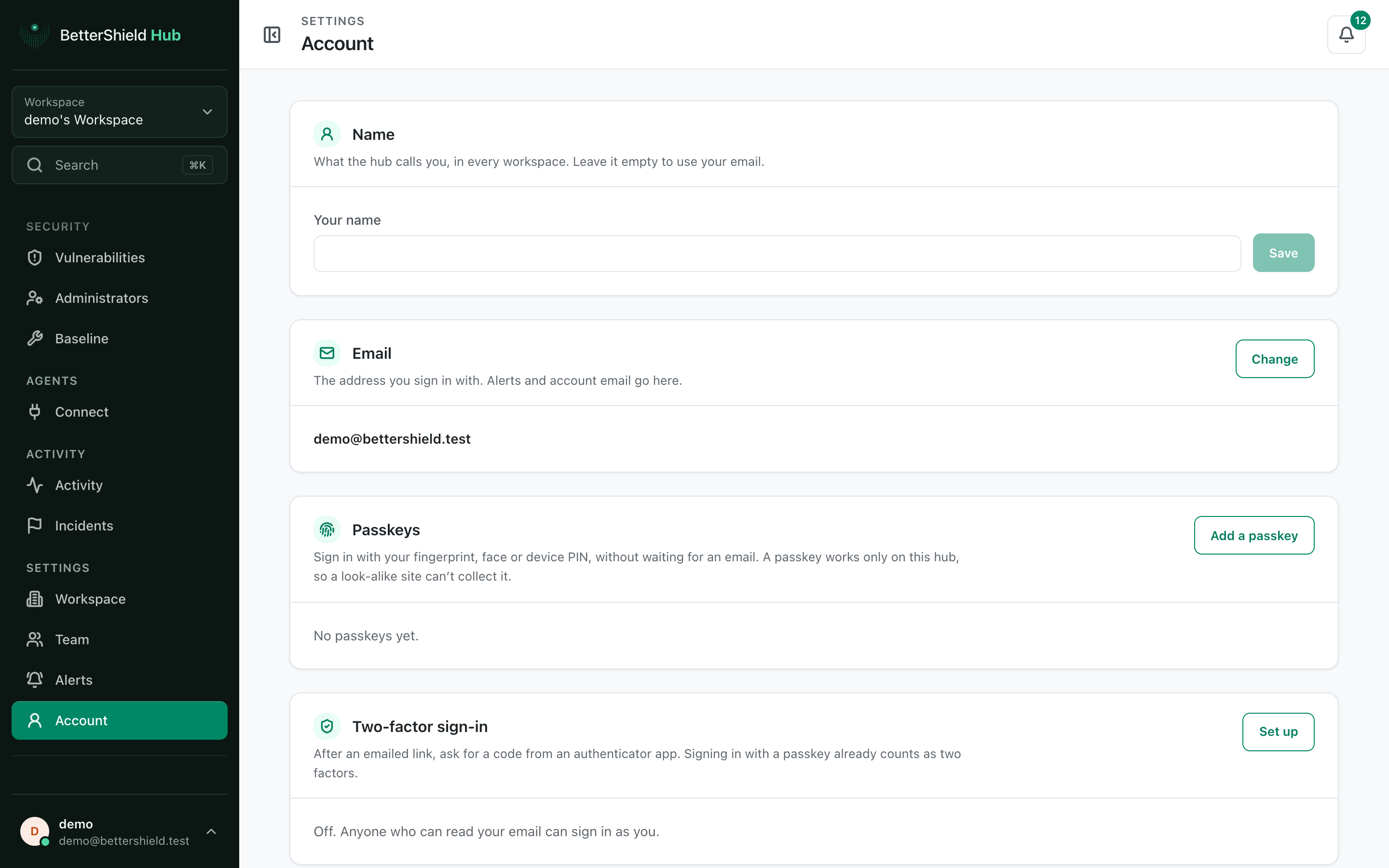
Step 2: Secure your BetterShield Hub account
- Under Passkeys, select Add a passkey, follow the device prompt and give it a name. No passkey exists by default.
- Under Two-factor sign-in, start setup, scan the QR code, enter the code from your app and save the recovery codes. Two-factor is off by default.
- Rename or remove old passkeys when needed.
Recommended settings
Our advice:
- Add at least one passkey on a device you control.
- Keep recovery codes somewhere outside Hub.
- Name passkeys by device so an old one is easy to identify.
What it can break and how to undo
Removing your last usable sign-in method can make access difficult. Keep another route before removing a passkey or turning off two-factor.
Remove a passkey from Hub and from the device or password manager that stores it. New recovery codes replace the old set.
Final Outcome
The passkey appears with its name and last-used information.
- Sign in with a passkey works after signing out.
- An authenticator code is accepted and recovery codes are stored.
Related
This is how you can secure your BetterShield Hub account.
Getting Stuck? Feel free to contact our Dedicated Support Team.