How To Review the Network Activity Log With BetterShield?
Filter recorded activity across multisite by site, category, person, network, search, and date.
In BetterShield, open Network Admin › BetterShield › Activity › Site activity.
What it does
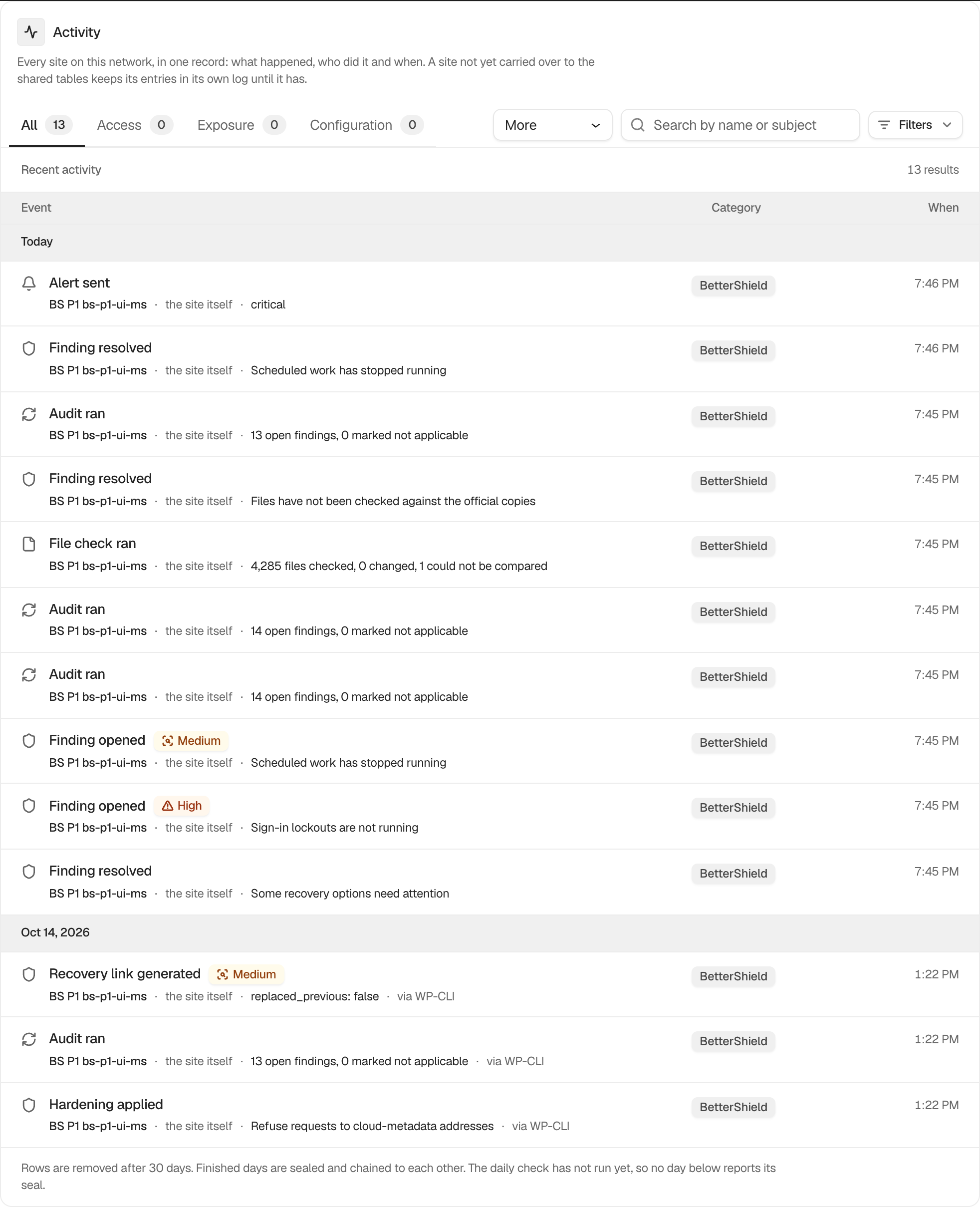
The network list combines carried-over activity and names the site on each row. Site defaults to Every site. The category, search, actor, network, and date controls work like the site-level log. Rows for network sites being deleted, archived, deactivated or marked as spam appear here under Site settings. See See network sites deleted, archived or marked as spam.
The Network Admin view has no CSV export and no daily-seal display. Use an individual site’s log for those, or run wp bettershield activity --sites=all.
Step 1: Review the Network Activity Log
Let the shared-table migration finish, then choose a site or leave Every site selected. Apply the other filters needed for the review.
Recommended settings
Start with a narrow date range. Filter one site before following an event into its site-level evidence or response controls.
What it can break and how to undo
Filtering is read-only. Clear the controls to return to every site. An incomplete migration can make the view incomplete without changing source logs.
Final Outcome
Choose one site and confirm every result names it. Compare a row with the same site’s own Activity screen.
Related
- Filter and search site activity
- Export the activity log as CSV
- Monitor the network log migration
- See network sites deleted, archived or marked as spam
This is how you can review the network activity log with BetterShield.
Getting Stuck? Feel free to contact our Dedicated Support Team.