How To Set a Decoy URL With BetterShield?
Choose an unused path that returns the normal 404 page and raises an urgent alert when requested.
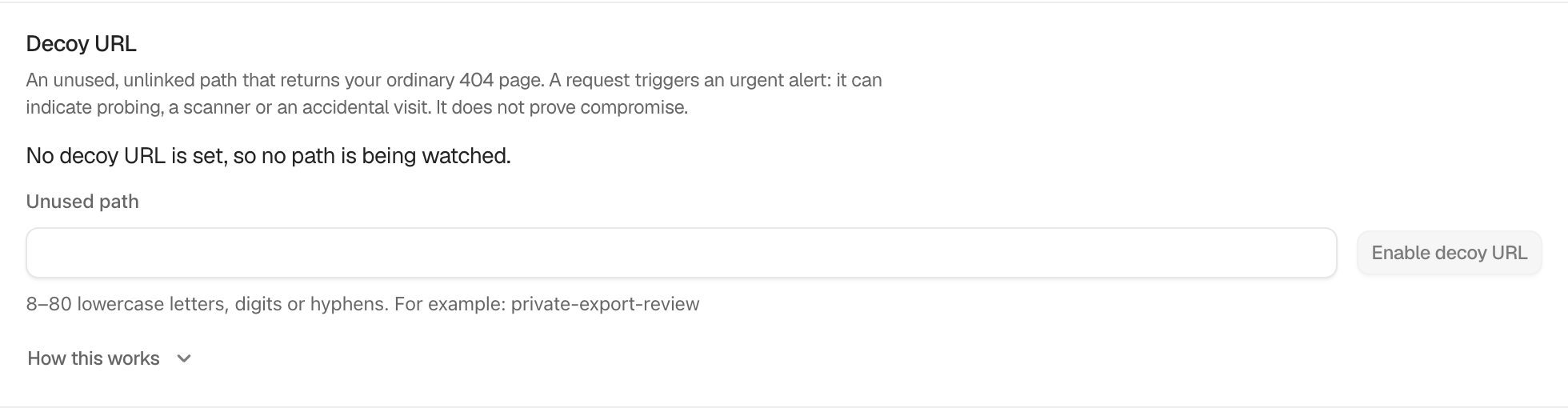
In BetterShield, configure the path under BetterShield › Agents › Agent surface › Decoy URL.
What it does
The decoy returns the site’s ordinary 404 page. A request is recorded and sent through the urgent alert path. It can indicate a scanner, probing, or an accidental visit. It does not prove that the site was compromised.
The Unused path must contain 8 to 80 lowercase letters, digits, or hyphens and start with a letter. WordPress and BetterShield paths are reserved. The default is off with no path.
Step 1: Set a Decoy URL
Enter an unused value such as private-export-review, select Enable decoy URL, and keep the resulting URL out of menus, sitemaps, analytics tests, and monitoring.
Recommended settings
Choose a path that no legitimate plugin, page, redirect, or sign-in route uses. Record its purpose in private operational notes without sharing the URL broadly.
What it can break and how to undo
If content or the sign-in address later takes this path, the decoy stands down there and the screen says why. Accidental requests create urgent alerts. Select Disable decoy URL and choose another unused path.
Final Outcome
Use Test matcher without alerting when shown. Do not browse to the live path as a routine test because that creates the real event.
Related
- Keep a decoy credential
- Send important security alerts straight away
- Filter and search site activity
This is how you can set a decoy URL with BetterShield.
Getting Stuck? Feel free to contact our Dedicated Support Team.