How To Publish a Security Contact With BetterShield?
Publish a standards-based security.txt contact and optional policy address without writing a file to disk.
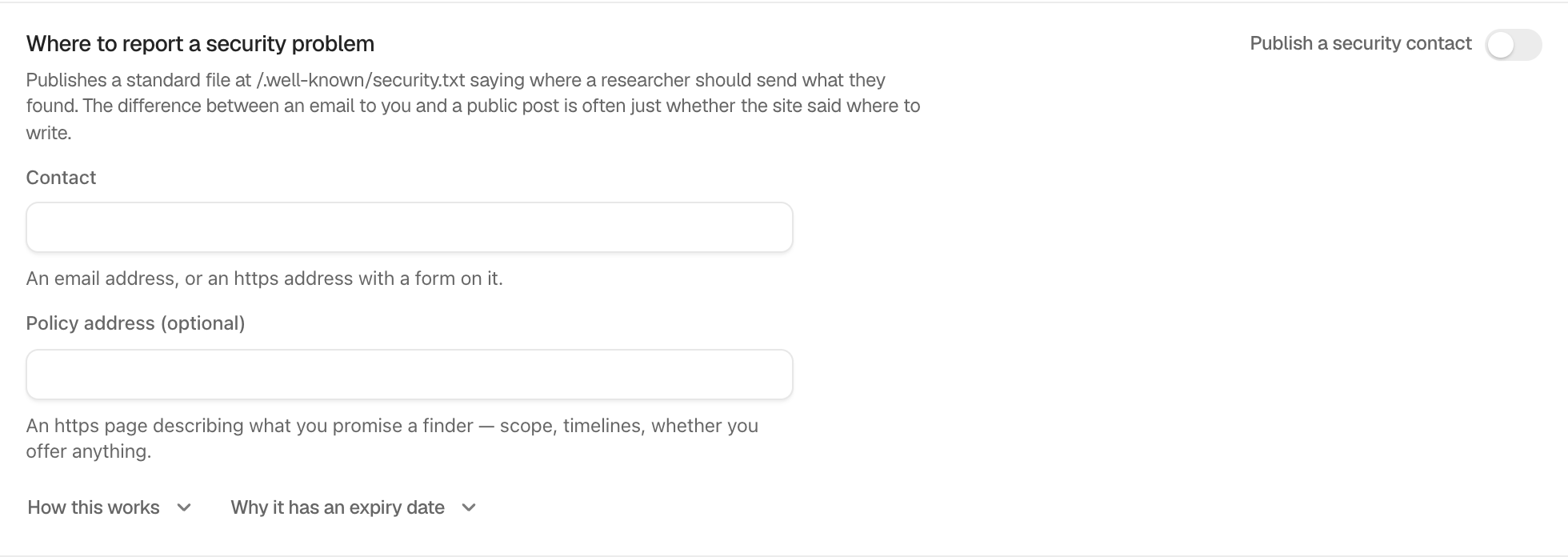
In BetterShield, open BetterShield › Settings › General › Privacy & sharing › Where to report a security problem.
What it does
Publish a security contact is off by default. Contact accepts an email address or an HTTPS form address. Policy address (optional) accepts an HTTPS page. BetterShield assembles / when requested and writes no file to disk.
The published record includes an expiry one year after first publication. A finding appears 30 days before it lapses, and Renew for a year appears near expiry. When WordPress is installed in a subdirectory and the root path cannot be served automatically, the row explains where to place a copy.
Step 1: Publish a Security Contact
Enter the contact, optionally add the policy address, leave each field to save it, then turn on Publish a security contact.
Recommended settings
Use a monitored shared mailbox or maintained HTTPS form. Keep the policy page public and update the expiry before the finding opens.
What it can break and how to undo
An unreachable contact directs reports to the wrong place. Correct the field or turn the switch off. Turning it off stops the virtual file cleanly.
Final Outcome
Open / in a signed-out browser and confirm the contact, optional policy, and future expiry.
Related
This is how you can publish a Security contact with BetterShield.
Getting Stuck? Feel free to contact our Dedicated Support Team.