How To See BetterShield Findings in Site Health?
Read BetterShield's open findings alongside WordPress tests on the Site Health Status tab.
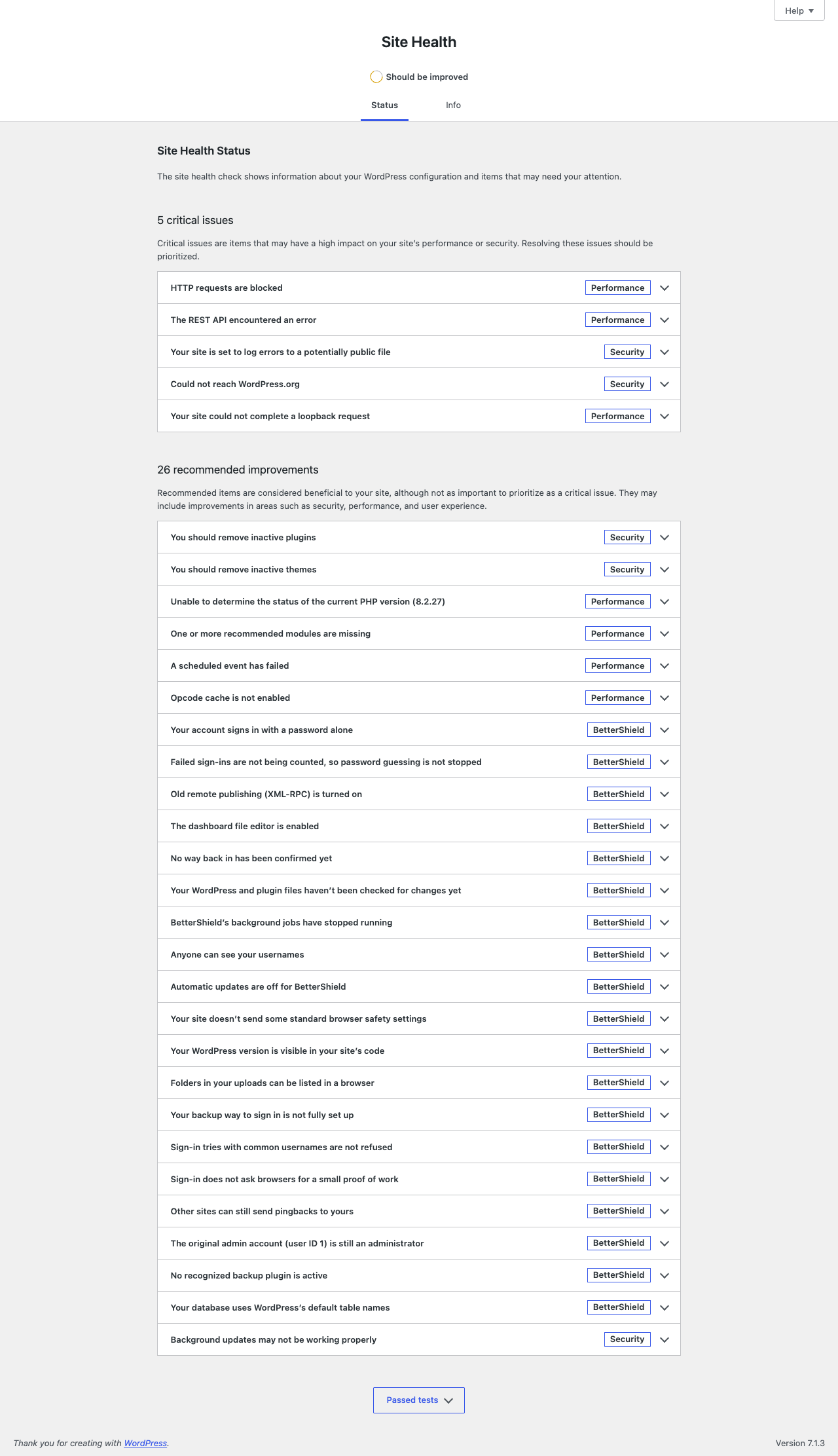
BetterShield adds its open findings to Tools › Site Health › Status.
What it does
Each eligible open finding becomes a Site Health test. Snoozed findings are included. Critical findings appear as critical; all other severities appear as recommended. Each test includes why it matters, what to consider before acting, the audit time, and See the finding in BetterShield.
When the audit is more than two days old, the test says it is overdue. With nothing open, one passing test reads BetterShield has no open security findings while the audit remains current.
BetterShield leaves out a small set of checks WordPress already reports on that WordPress version. They remain in BetterShield › Findings and still affect the score.
Step 1: See BetterShield Findings in Site Health
No setup is required. Run a BetterShield audit, then open the Site Health Status tab.
Recommended settings
Use Site Health for the combined view. Open BetterShield for evidence, statuses, and actions.
What it can break and how to undo
The integration is read-only. There is no separate switch. Deactivating BetterShield removes its tests.
Final Outcome
Confirm BetterShield tests carry a BetterShield badge and that their links open the matching finding.
Related
This is how you can see BetterShield findings in site health.
Getting Stuck? Feel free to contact our Dedicated Support Team.