How To Compare Audit Results by Day With BetterShield?
Compare today's score and check results with the end of an earlier recorded day.
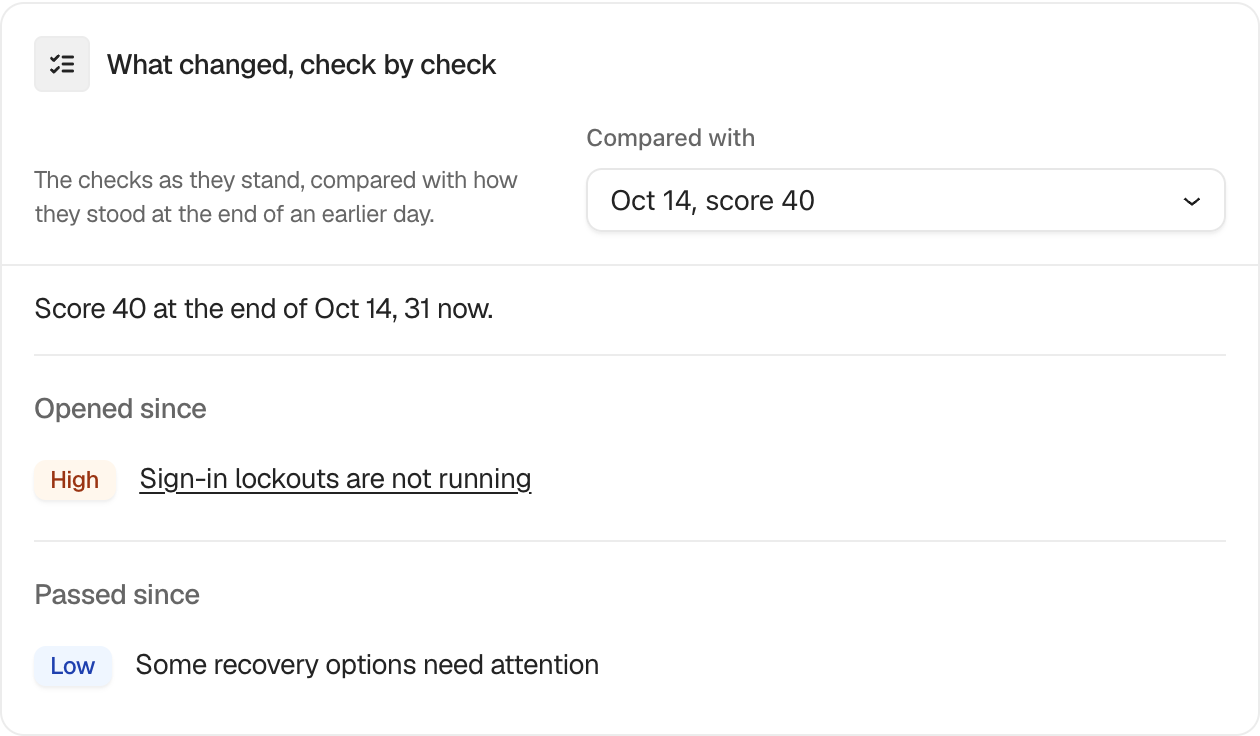
In BetterShield, the What changed, check by check card on BetterShield › Overview compares the current audit with the end of a recorded earlier day.
What it does
Choose a day under Compared with. The card shows the score then and now and groups checks as Opened since, Severity changed, Passed since, Marked not applicable since, or Put back since.
Step 1: Compare Audit Results by Day
No setup is needed. The selector appears after more than one day’s audit state has been recorded.
Recommended settings
Choose the day before a release, migration, or maintenance window to see which audit results moved with that work.
What it can break and how to undo
Changing the comparison date is read-only. Return to another date or leave the page to reset the view.
Final Outcome
Choose two different dates. The earlier score and grouped rows should update while the current score remains the same.
Related
- Run and monitor scheduled audits
- See what changed since your last visit
- Understand your security score and grade
This is how you can compare audit results by day with BetterShield.
Getting Stuck? Feel free to contact our Dedicated Support Team.