How To Send Client Reports from BetterShield Hub?
Send a weekly or monthly report for one site or tag to workspace members and confirmed client addresses.
In BetterShield Hub, Client reports under Settings › Workspace send a scheduled security report for one site or all sites carrying a tag.
Note: Sign in to your free BetterShield Hub account. Your workspace role and site permissions determine which information and actions you can use.
What it does
Hub client reports are part of the free workspace and do not require Ultra. They are separate from the Ultra client report generated and scheduled on an individual WordPress site.
A report summarizes the selected sites for people who may not use Hub. You can preview it, send it now, pause it or delete it.
Step 1: Open Settings › Workspace
Open Settings › Workspace and select New report.
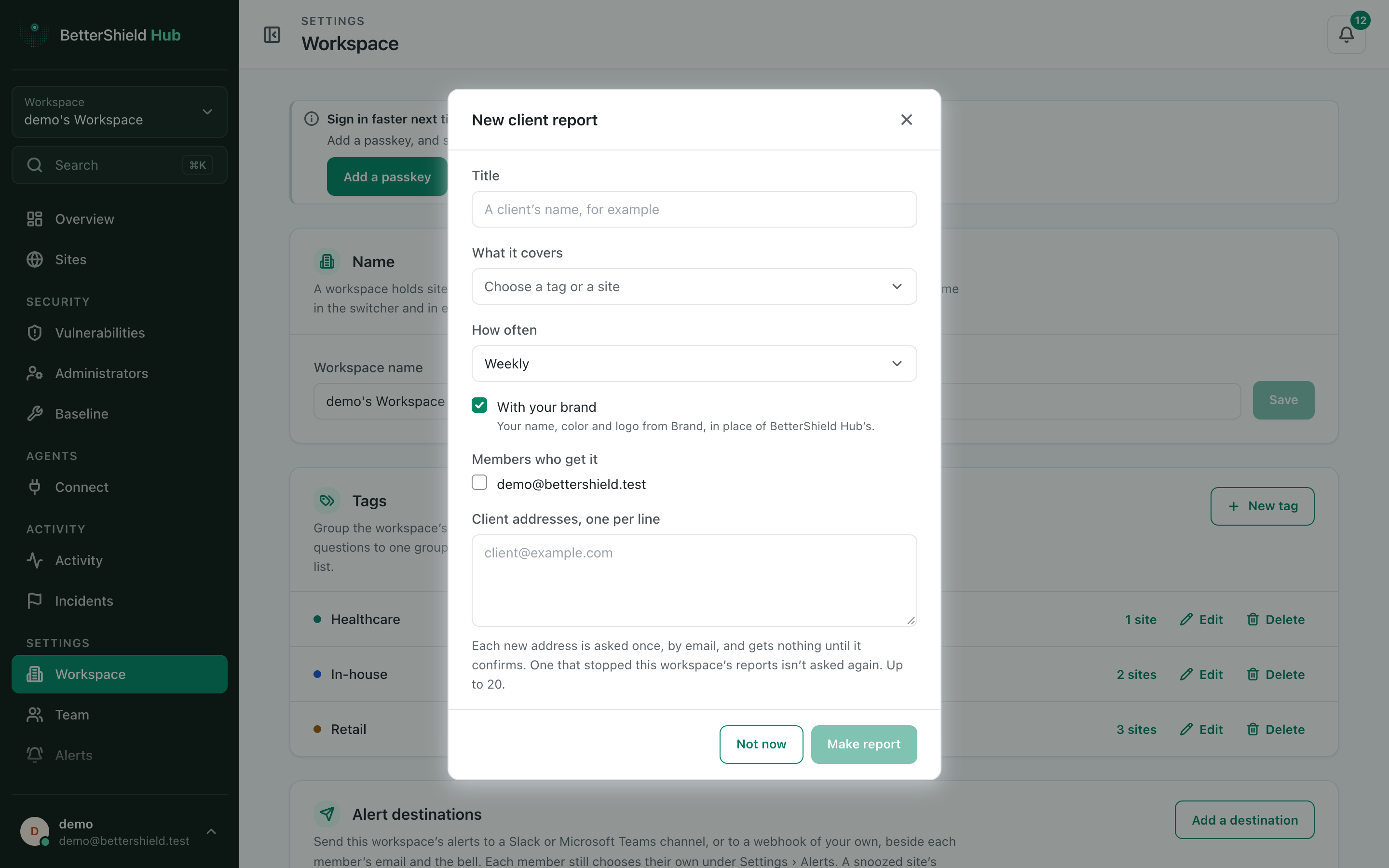
Step 2: Send client reports
- Enter Title and choose What it covers: one site or one tag. Both start empty.
- Choose How often: Weekly (default, Mondays for the week before) or Monthly (the 1st for the month before).
- Leave With your brand on (default) or turn it off.
- Tick eligible Members who get it. None are selected by default.
- Add Client addresses, one per line, up to 20. The list starts empty.
- Select Make report and preview it.
Recommended settings
Our advice:
- Use one report per client or operating group.
- Preview after changing tags or branding.
- Keep only people who need the report on its recipient list.
What it can break and how to undo
A wrong tag or address can share a report with the wrong audience. Client addresses must confirm before receiving it, but selected members can receive it immediately.
Edit or pause the report to stop future sends. A sent report cannot be recalled.
Final Outcome
The preview shows the intended sites and branding.
- Client addresses show confirmed, waiting to confirm or stopped them.
- Send now reaches eligible recipients and does not move the schedule.
Related
This is how you can send client reports from BetterShield Hub.
Getting Stuck? Feel free to contact our Dedicated Support Team.