How To Download an Evidence Pack With BetterShield Ultra?
Save a private evidence pack for a chosen period and preserve its verification information.
With BetterShield Ultra, save a private evidence pack for a chosen period and preserve its verification information.
Note: These controls require the paid BetterShield Ultra add-on alongside the free BetterShield plugin.
What it does
Open BetterShield › Ultra › Sign-in report. The evidence pack collects relevant security records for review and handover. It is an export of retained evidence, not a backup of the website or proof that an unrecorded event never happened.
Step 1: Open Sign-in report
Open the evidence-pack card under Sign-in report.
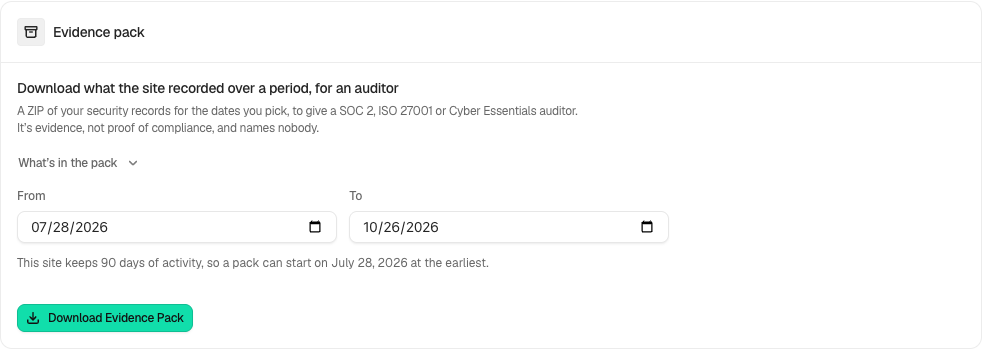
Step 2: Download an Evidence Pack
- Choose the available period and review the records it will include.
- Download the pack and store it privately. Preserve the included verification information alongside the records.
Recommended settings
Our advice: export evidence before a change to retention or an investigation that may need records beyond the site’s retention window.
What it can break and how to undo
The download can contain site and account activity. Share it only with the intended reviewer. Exporting reads records and does not undo incidents or change the log.
Final Outcome
Open the pack and confirm its period, included records and verification status. A failed or incomplete export must not be treated as complete evidence.
Related
This is how you can download an evidence pack with BetterShield Ultra.
Getting Stuck? Feel free to contact our Dedicated Support Team.