How To Filter and Review Agent Activity With BetterShield?
Review recorded ability calls by outcome, namespace, connection door, and date without storing input contents.
In BetterShield, open BetterShield › Activity › Agent activity to review calls to abilities registered by any plugin.
What it does
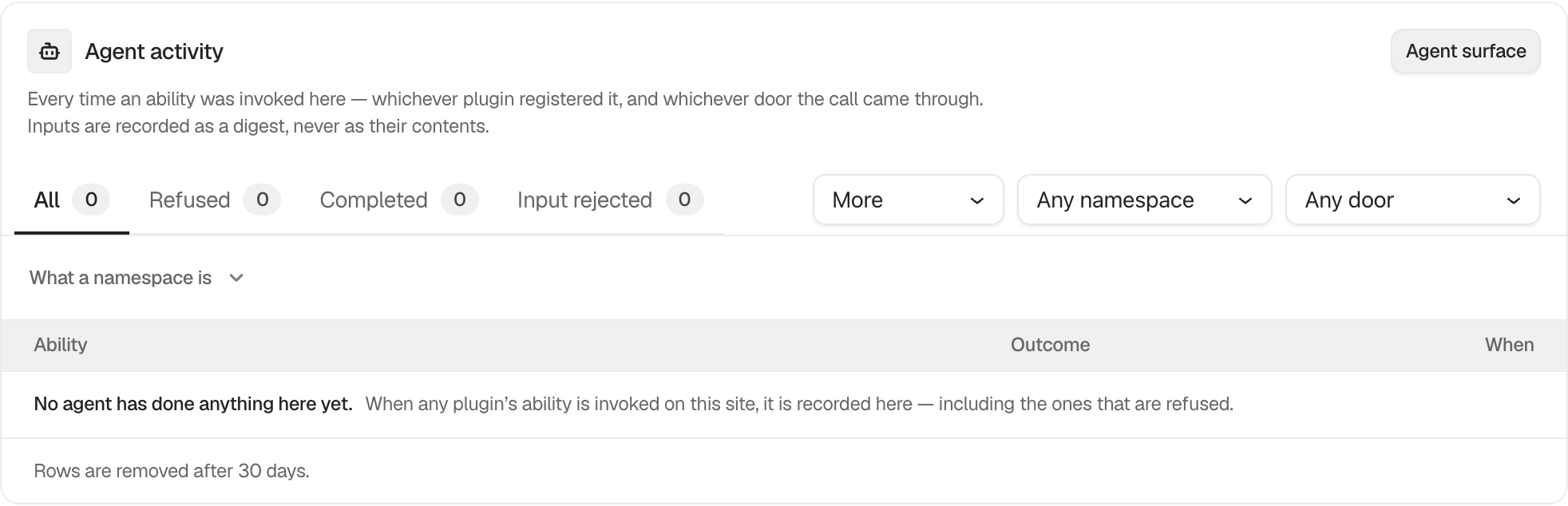
Outcome views include All, Refused, Completed, Input rejected, Input unreadable, Output rejected, Answered early, Failed, and Did not finish. Namespace narrows the plugin or ability family. Came through offers Any door by default, then MCP, REST, WP-CLI, and PHP.
Each row names the ability, outcome, route, and time. Inputs are stored as a digest, never as their contents. Rows are kept for 30 days in the free plugin.
Step 1: Filter and Review Agent Activity
Recording is on by default. Choose an outcome, namespace, or door to narrow the view. Use Agent surface to inspect the current ability registry.
Recommended settings
Review refused and failed calls first. Compare unexpected calls with the connection and application password that could reach the site.
What it can break and how to undo
Filtering is read-only. Turning recording off stops future rows but does not remove existing rows immediately. Turn it back on under Agents › Permissions.
Final Outcome
Use a connected assistant to make a permitted read call, then confirm a completed row appears with the correct door and namespace.
Related
- Record what agents do on this site
- Review abilities registered on this site
- Create, test and end assistant connections
This is how you can filter and review agent activity with BetterShield.
Getting Stuck? Feel free to contact our Dedicated Support Team.