How To Run Checks Early With BetterShield Ultra?
Use Run now on the BetterShield Ultra schedule to start a supported check without changing its next scheduled run.
Use Run now on the BetterShield Ultra schedule to start a supported check without changing its next scheduled run.
Note: These controls require the paid BetterShield Ultra add-on alongside the free BetterShield plugin.
What it does
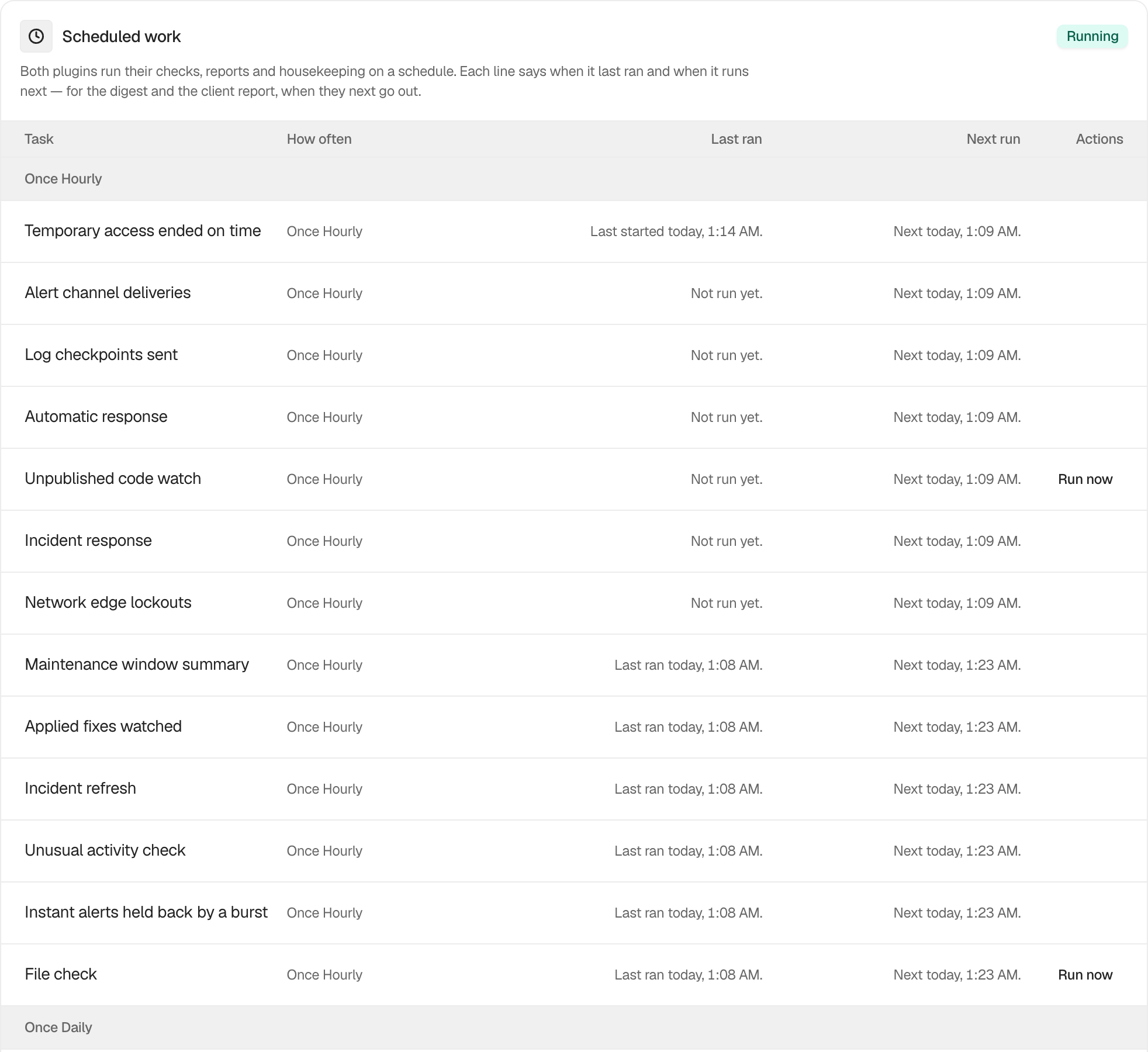
Run now on BetterShield › Ultra › Scheduled tasks starts one supported check early. It is available for Security audit, File check, Certificate check and Unpublished code watch.
Step 1: Open BetterShield › Ultra › Scheduled tasks
Open BetterShield › Ultra › Scheduled tasks.
Step 2: Run an Ultra check early
- Find one of the four supported checks.
- Press Run now.
There are no options or defaults. Starting a check early does not move its next scheduled run. Digests and client reports use the send controls on their own screens instead.
Recommended settings
Run a check early when you are waiting for a result after a relevant site change. Let it finish before starting it again.
What it can break and how to undo
A manual run can add server load while it works. It cannot be cancelled from this screen. If the site is already under heavy load, wait for its scheduled run.
Final Outcome
The Run now button shows that it is busy while the request is active. When it finishes, Last ran updates with the result and time, while Next run keeps the existing schedule.
Related
This is how you can run checks early with BetterShield Ultra.
Getting Stuck? Feel free to contact our Dedicated Support Team.