How To Check Files Against Their Published Copies With BetterShield?
Run the Files check and understand what BetterShield compares with WordPress.org and what it only watches for change.
Use BetterShield to compare eligible files with their published copies and review the differences. Separate verified matches from watched or unchecked files before deciding what to restore or accept.
What it does
WordPress core is compared with checksums for the installed version and language. Plugins from WordPress.org and supported WPDeveloper paid plugins are compared with the exact version’s published checksums when available. Core and plugin directories are also checked for files that were not published.
The active theme and parent, must-use plugins, drop-ins, wp-config.php, .htaccess, .user.ini, and plugins without published checksums are watched against their earlier state. Uploads are not checked. WordPress.org does not publish theme checksums.
Step 1: Run the File Comparison
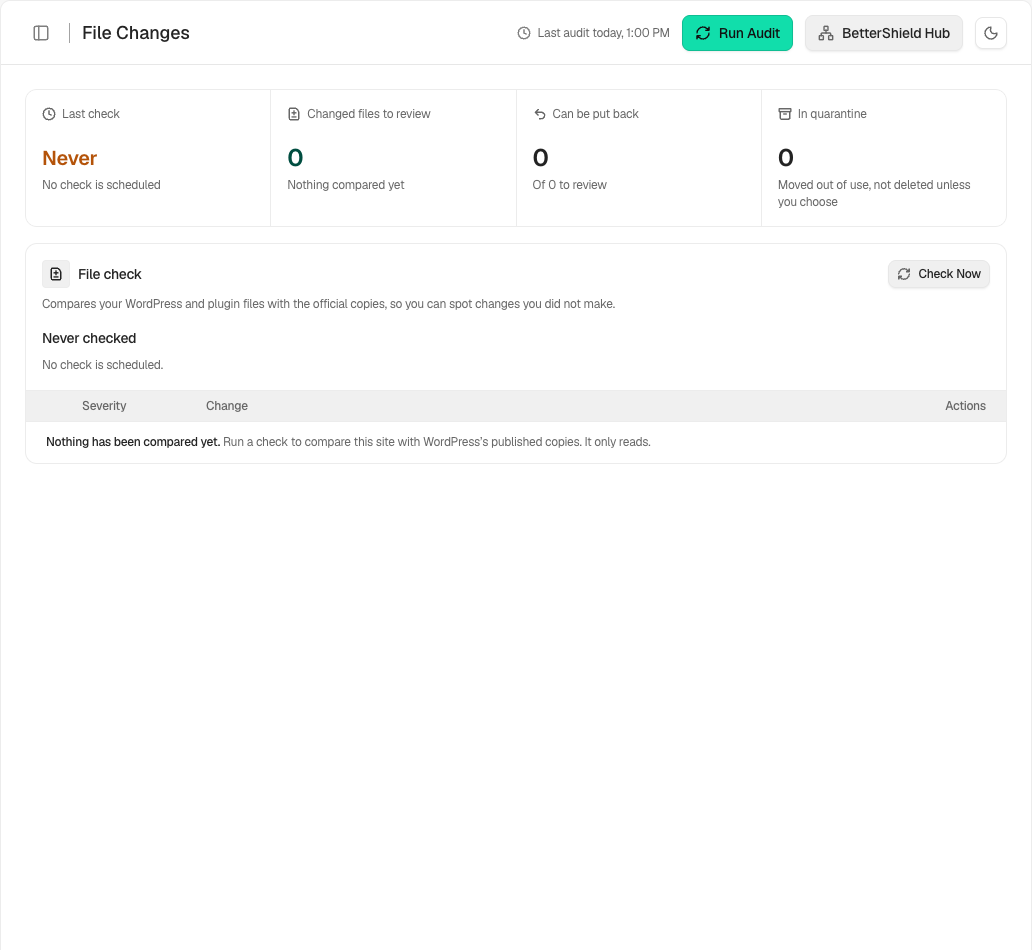
Open ‘BetterShield › Activity › File Changes’.
Select ‘Check now’, ‘Continue check’, or the current check control. The work proceeds in passes and can continue through WordPress scheduled tasks.
Recommended settings
Run a check after updates, deployments, migrations, or unexpected behavior. Let the initial baseline finish before treating watched-code changes as meaningful.
What it can break and how to undo
Checking is read-only. Fetching checksums uses WordPress.org or the supported publisher; restoring an official file uses WordPress.org and can fail when the site cannot make outbound requests. Retry after connectivity returns.
Published checksums for paid plugins
Free 1.1.5 checks supported WPDeveloper paid plugins through checksums.wpdeveloper.com. Ultra also has bettershield.ai as a fallback when the primary address has no list for that version. A missing or unreachable list means that copy was not compared; it does not mean the files match. Other paid or custom code without published checksums remains watched against its recorded state. These lookups are separate external contacts from WordPress.org. Publisher checksums do not provide a file-restoration download.
When a plugin version changes outside WordPress’s updater, its changed files are rated high rather than critical. A hidden code file stays critical. Hosts can record a known deployment through WP-CLI.
Network-wide File Checks
With BetterShield 1.1.7 network-activated, the main site checks the core, plugins, themes and configuration files shared by the network once. Subsites display that check and its changes, with one alert for a shared change. Network administrators restore or accept shared changes; site administrators can review them. If BetterShield itself is activated only on one site, that site keeps its own check.
If a plugin stops publishing checksums, its files remain watched against their recorded state rather than being silently omitted. Directory names containing capitals or dots are checked too. A watched copy is not a verified match to an official release.
Review Added PHP Files
BetterShield 1.1.8 flags an added PHP file worth reviewing when it uses a decode-and-run pattern or a filename beginning with a dot. The evidence includes the relevant line. A pattern or hidden name is a signal, not a definitive malware verdict. Read the code and its origin before restoring, quarantining or marking a change expected. For scripts saved in store content rather than files, use Review store scripts.
Final Outcome
The ‘Last check’ time and progress reflect the completed comparison. Each reported difference identifies its file, change type and available action.
Related
This is how, with the help of BetterShield’s File Changes, you can compare eligible files and review changes that need attention.
Getting Stuck? Feel free to contact our Dedicated Support Team.