How To Snooze a Finding or Mark it Not Applicable With BetterShield?
Temporarily hide an open finding, remove an inapplicable result from the score, and return either one to the report.
In BetterShield, use the actions on BetterShield › Findings when a result is real but must wait, or when it does not apply to this site.
What it does
Snooze offers In 7 days and In 30 days. The finding moves to Snoozed, stays open, and still affects the score. It returns on the chosen date or earlier if its severity gets worse. Unsnooze returns it immediately.
Not applicable moves the finding to the Not applicable tab and removes its points from the score. Move back to Open returns it. Selecting several rows shows Snooze and Mark Not Applicable in a bar, so you can apply either status in bulk.
Step 1: Snooze a Finding or Mark it Not Applicable
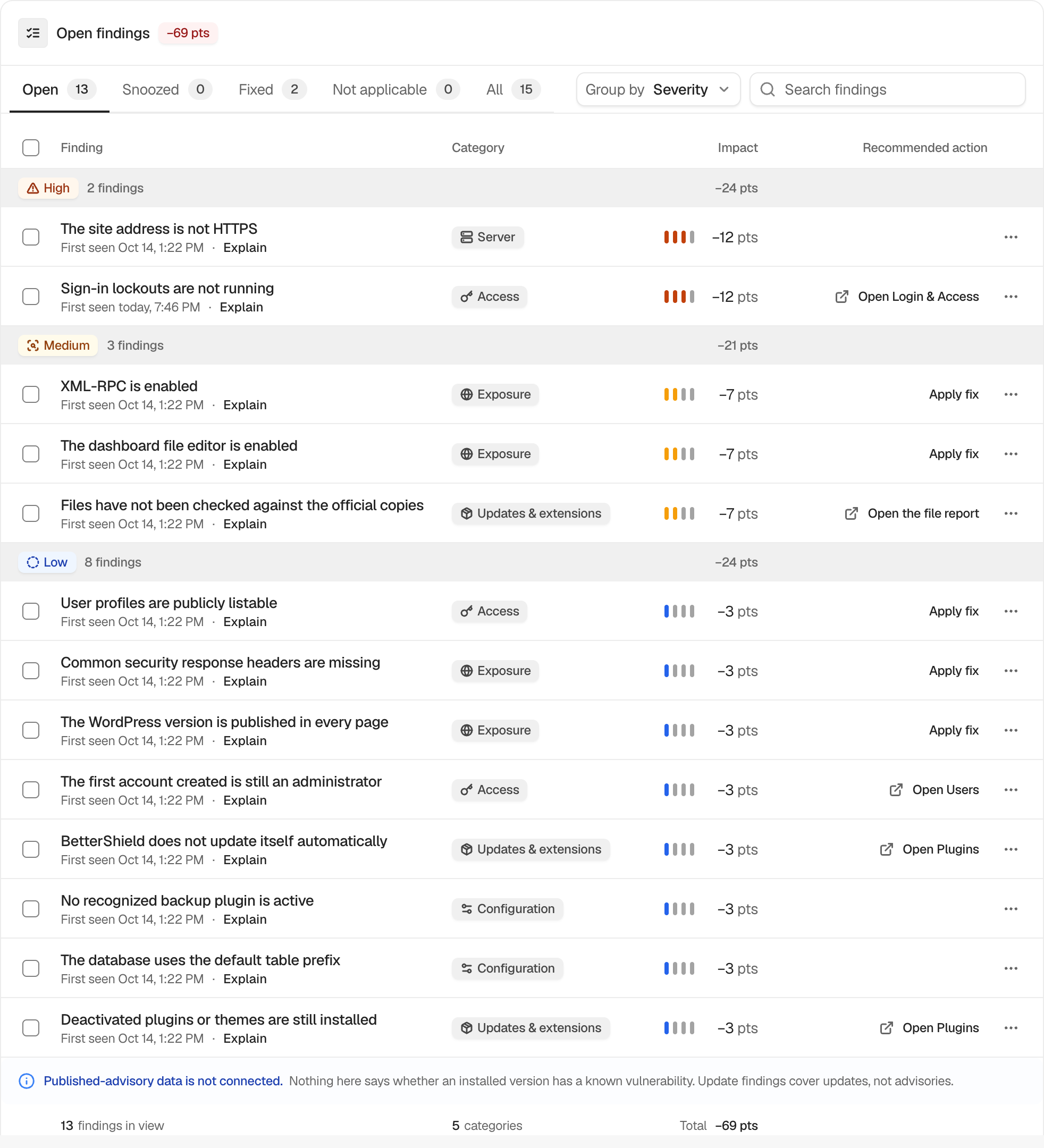
Open a finding’s more actions menu, or tick several rows. Choose Snooze and a date, or Not applicable, then confirm the offered choice.
Recommended settings
Use snooze only for a time-bound reason. Use not applicable only when the check genuinely cannot apply to this site, not simply because the correction is inconvenient.
What it can break and how to undo
These actions do not change WordPress. They change reporting and, for not-applicable results, the score. Use Unsnooze or Move back to Open to reverse them.
Final Outcome
Confirm the row appears under the expected status tab. A snoozed row should show its return date. A not-applicable row should no longer reduce the score.
Related
- Understand your security score and grade
- Read the evidence behind a finding
- Read and filter the Findings report
This is how you can snooze a finding or mark it not applicable with BetterShield.
Getting Stuck? Feel free to contact our Dedicated Support Team.