How To Review Site Vulnerabilities With BetterShield Hub?
Group reported plugin vulnerabilities by vulnerability or site and find sites whose vulnerability check is old or unavailable.
In BetterShield Hub, Security › Vulnerabilities combines the plugin vulnerability reports from the sites you can access.
Note: Sign in to your free BetterShield Hub account. Your workspace role and site permissions determine which information and actions you can use.
What it does
The summary counts sites with confirmed affected-version matches, confirmed vulnerabilities and sites with stale checks. Group switches between By vulnerability and By site. Not checked, or out of date explains which sites are missing current information.
Step 1: Open the feature
Connect the sites and allow Hub to read their security information.
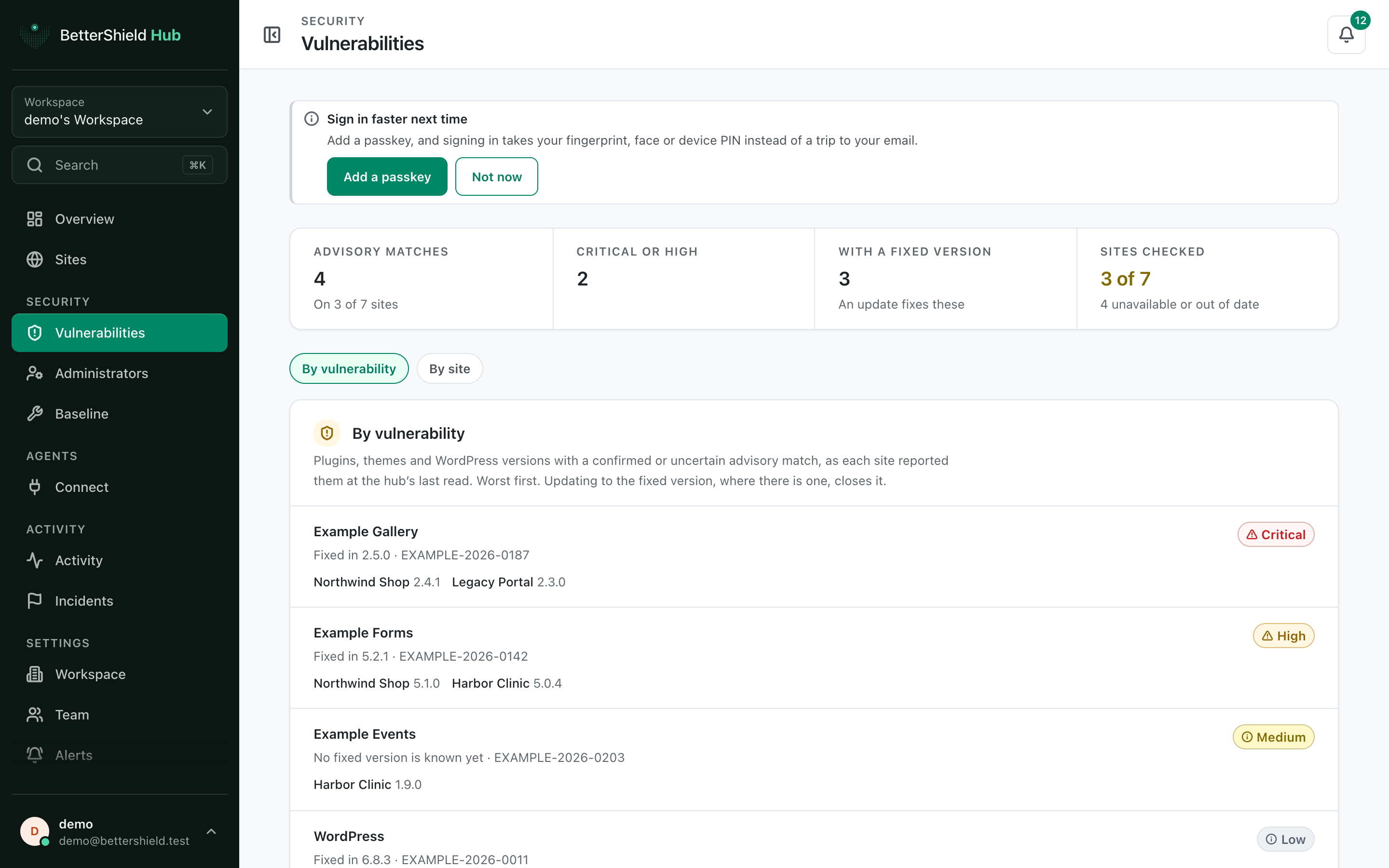
Step 2: Review vulnerabilities across BetterShield Hub sites
- Open Security › Vulnerabilities.
- Under Group, choose By vulnerability or By site. The default is By vulnerability.
- Open a row to continue on the affected site.
Hub keeps uncertain version matches on the individual site page under Match uncertain. They are not counted as confirmed vulnerabilities in the Sites chip or filter. Informational advisory records are excluded from actionable findings.
There is no vulnerability policy on this screen. It reports what each site knows. Optional vulnerability checks use the site’s consent and current advisory data; a stale or unavailable check is not a clean result.
Recommended settings
Our advice:
- Start with items affecting several sites.
- Check stale sites before reading a quiet list as complete.
- Confirm plugin compatibility and backups before updating production sites.
What it can break and how to undo
Reading and grouping change nothing. An update made on a site can affect that site’s plugin behavior. Follow that site’s update and rollback process.
Hub does not automatically update a plugin from this screen.
Final Outcome
Current sites appear under the chosen grouping.
- Switching Group changes the list without changing the counts.
- Sites with old or missing checks appear under Not checked, or out of date.
Related
This is how you can review site vulnerabilities with BetterShield Hub.
Getting Stuck? Feel free to contact our Dedicated Support Team.