How To Use BetterShield Ultra?
Find every BetterShield Ultra screen for sign-in, reports, alerts, response, Cloudflare, schedules and updates.
In BetterShield Ultra, BetterShield › Ultra › Overview shows everything the add-on adds to this site and whether each feature is on, off or waiting for setup.
Note: These controls require the paid BetterShield Ultra add-on alongside the free BetterShield plugin.
What it does
BetterShield Ultra adds sign-in policies, trusted devices, temporary access, handover, branded sign-in screens, a Turnstile bot check, sign-in reports, alert destinations, client reports and a report for one person or role, response controls, Cloudflare controls, scheduled-work monitoring and longer activity history.
Step 1: Open the feature
Install and activate BetterShield first.
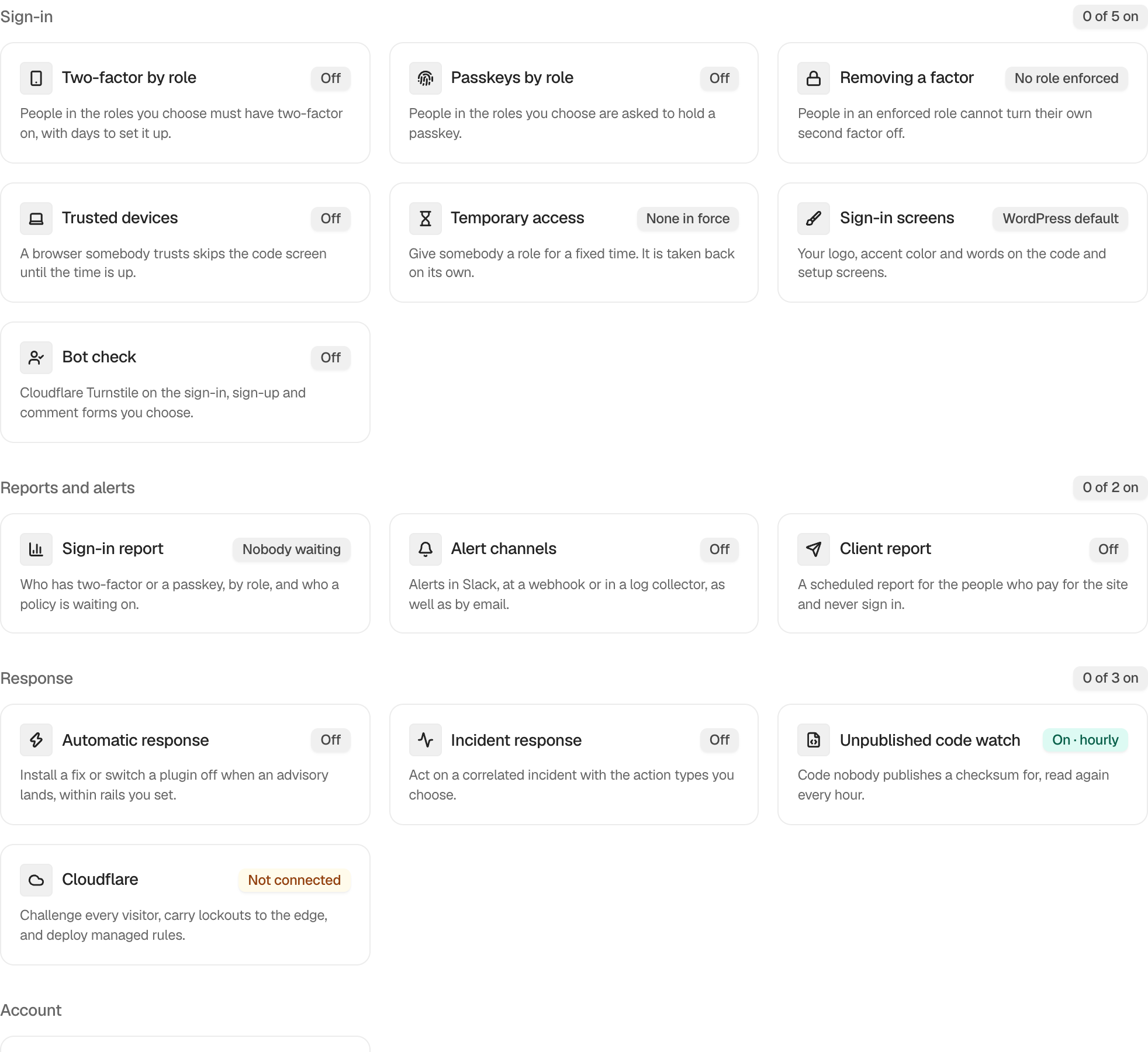
Step 2: Use BetterShield Ultra
- Upload and activate BetterShield Ultra.
- Open BetterShield › Ultra › Overview.
- Select a feature card and configure its screen.
- Enter a license key on Ultra › License to receive updates.
Nothing is configured from the overview itself. Each feature keeps its own defaults.
Recommended settings
Our advice:
- Start with sign-in policies and the sign-in report.
- Add external alert destinations only after site email alerts are working.
- Prepare recovery before enabling automated response or broad Cloudflare changes.
What it can break and how to undo
Opening the overview changes nothing. Individual Ultra features can affect sign-in, outgoing alerts, account access, files or Cloudflare.
Read the focused guide and its undo limits before turning a feature on.
Final Outcome
The overview lists the Ultra features available on the site.
- Each card shows a state and opens the matching screen.
- Ultra › License shows the saved update status after activation.
Newer Ultra controls
See Ultra overview for current state across the add-on. Dedicated guides cover request protection, administrator accounts, activity history, settings watch, delayed updates and admin branding.
Related
- Install Ultra
- Set up Ultra sign-in policies
- Send Ultra alerts to other destinations
- Send chosen activity to a channel with rules
- Activity report for one person or role
- Use Ultra automatic response
This is how you can use BetterShield Ultra.
Getting Stuck? Feel free to contact our Dedicated Support Team.