How To Monitor Admin Sessions With BetterShield Ultra?
Watch a privileged sign-in move to a different browser and network, notify first, and choose when to end it.
With BetterShield Ultra, watch a privileged sign-in move to a different browser and network, notify first, and choose when to end it.
Note: These controls require the paid BetterShield Ultra add-on alongside the free BetterShield plugin.
What it does
Open BetterShield › Ultra › Trusted browsers. Stolen session check looks for a privileged session used from a new browser and network at the same time. A normal network change alone is not the same condition.
Step 1: Open Watch for a stolen administrator sign-in
Find Watch for a stolen administrator sign-in.
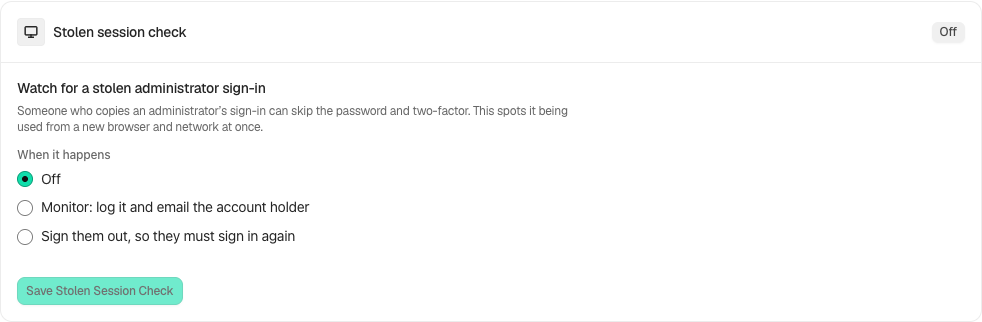
Step 2: Monitor changes to administrator sessions
- Under When it happens, choose Off, Log it and email the account holder, or Sign them out, so they must sign in again.
- The screen suggests Monitor for 14 days before choosing to sign people out. It is advice, not a guarantee against every copied session.
- Select Save Stolen Session Check.
Recommended settings
Our advice: observe normal administrator travel and browser changes before enforcement, and ensure account alerts arrive.
What it can break and how to undo
A legitimate changed session may be ended and need a fresh sign-in. Switch back to Monitor or Off and save to stop future automatic endings. A session already ended cannot be signed back in by undo.
Final Outcome
Review the activity and account notification. Enforcement is checked on front-end pages, comments and REST requests as well as admin screens.
Related
This is how you can monitor admin sessions with BetterShield Ultra.
Getting Stuck? Feel free to contact our Dedicated Support Team.