How To Choose What Plugin Deletion Leaves Behind With BetterShield?
Decide whether uninstall keeps BetterShield records, removes them, or first packages quarantined files.
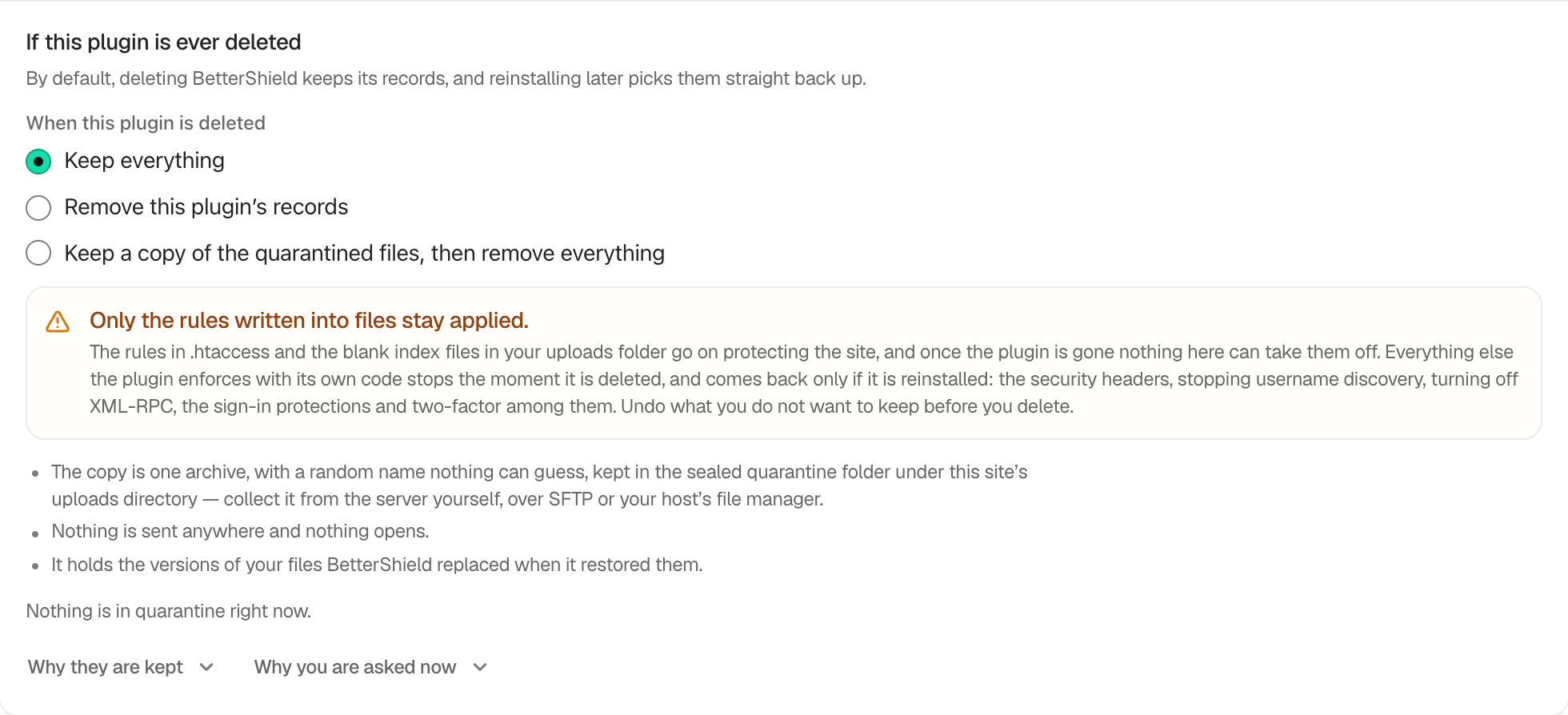
In BetterShield, set the uninstall choice under BetterShield › Settings › General › Plugin data & tools › If this plugin is ever deleted.
What it does
| Choice | Result when the plugin is deleted |
|---|---|
| Keep everything | Default. Keeps activity, findings, undo history, and quarantine for a reinstall. File-based rules remain, while protections enforced by plugin code stop. |
| Remove this plugin’s records | Removes plugin records and takes off applied hardening, including supported .htaccess, wp-config.php, and uploads rules. Quarantined files remain. |
| Keep a copy of the quarantined files, then remove everything | First creates a randomly named archive inside the protected quarantine folder, then removes records and applied hardening as above. |
Step 1: Choose What Plugin Deletion Leaves Behind
Select one choice. It saves immediately. Make the decision before deletion because the plugin has no screen after it is removed.
Recommended settings
Keep the default during migrations and conflict testing. Before permanent removal, undo protections you do not want left and collect any quarantine archive over SFTP or the host file manager.
What it can break and how to undo
Deleting with removal selected takes off protections. Deleting with keep selected can leave file rules without BetterShield’s controls to remove them. Reinstalling may recover kept records, but removed records cannot be reconstructed without a backup.
Final Outcome
Confirm the chosen radio option remains selected and review the current quarantine count shown on the row.
Related
This is how you can choose what plugin deletion leaves behind with BetterShield.
Getting Stuck? Feel free to contact our Dedicated Support Team.