How To Review Sign-in Coverage With BetterShield Hub?
Compare two-factor and passkey coverage by role for connected sites and download each site's sign-in report CSV.
Sign-in coverage on the Administrators screen reads the per-role counts reported by BetterShield Ultra on each site.
Note: Sign in to your free BetterShield Hub account. Your workspace role and site permissions determine which information and actions you can use.
What it does
For each site, the report shows account counts by role, two-factor use, passkey use and what a policy requires. Download CSV saves that site’s count report.
Hub does not combine names or email addresses into one cross-site export.
Step 1: Open the feature
Install and configure BetterShield Ultra on the sites you want to compare.
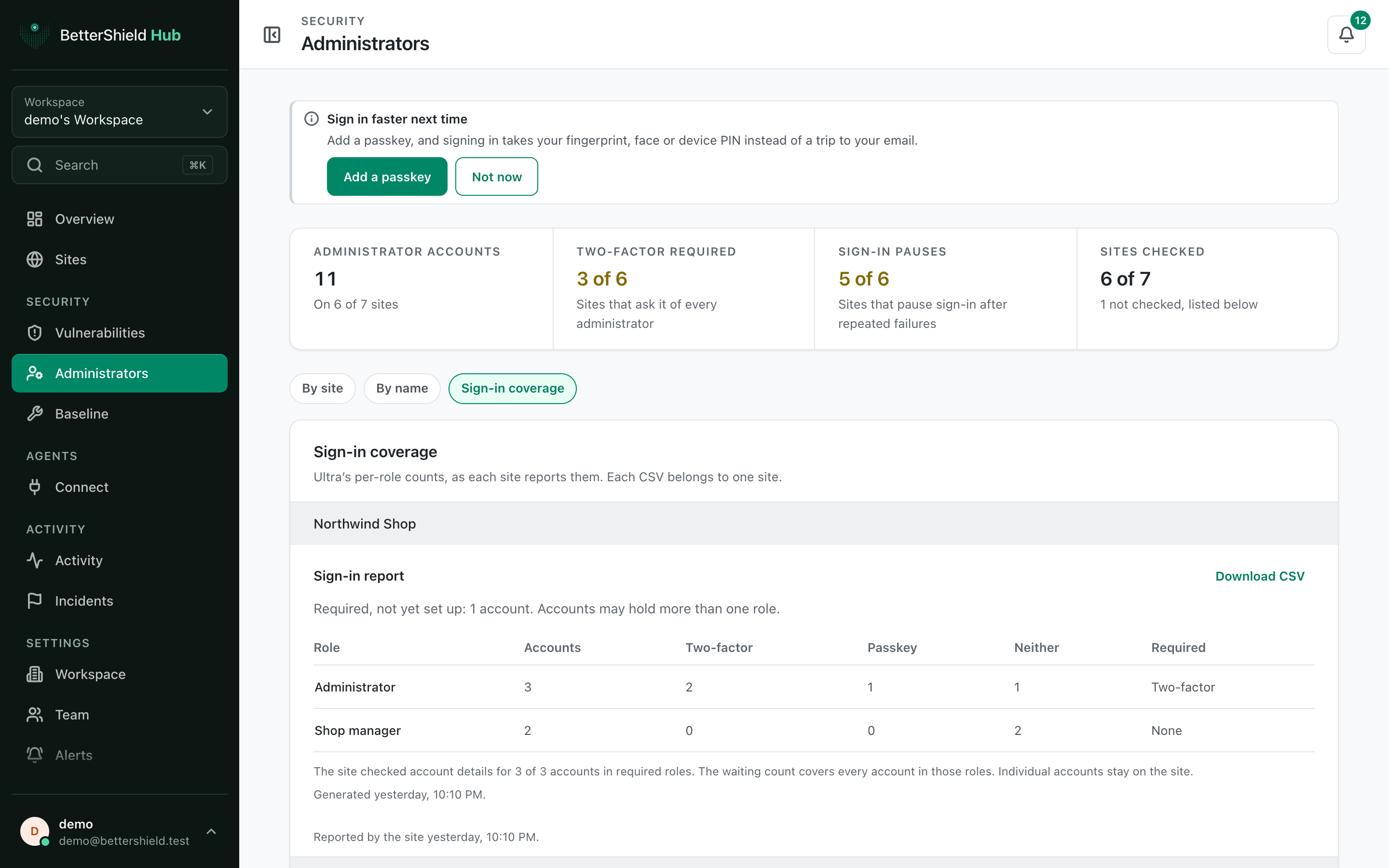
Step 2: Review sign-in coverage across BetterShield Hub sites
- Connect them to Hub with read access.
- Open Security › Administrators.
- Select Sign-in coverage.
- Use Download CSV beside a site when needed.
There are no Hub defaults. Counts come from each site’s saved policies and account records.
Recommended settings
Our advice:
- Compare coverage before requiring a factor for a new role.
- Follow up on a site’s missing accounts from its WordPress Sign-in report.
- Keep exports only as long as the review requires.
What it can break and how to undo
Reading or downloading the report changes nothing. A downloaded CSV becomes a separate copy under your control, so store and remove it according to your privacy process.
Policy changes happen on the WordPress site, not on this report.
Final Outcome
Each compatible site shows role totals.
- Download CSV produces a file for that site.
- A site with an unavailable report explains why instead of showing zero.
Related
This is how you can review sign-in coverage with BetterShield Hub.
Getting Stuck? Feel free to contact our Dedicated Support Team.