How To Review Site Administrators With BetterShield Hub?
Review administrator accounts and sessions across connected sites, grouped by site or display name.
In BetterShield Hub, Security › Administrators combines the administrator accounts reported by connected sites.
Note: Sign in to your free BetterShield Hub account. Your workspace role and site permissions determine which information and actions you can use.
What it does
The screen can group administrators By site or By name. Account rows use the display name and role reported by the site. A Sessions control can open the sessions available for that account and site.
Not checked lists sites whose administrator report could not be read.
Step 1: Open the feature
Connect each site with permission to read administrator information.
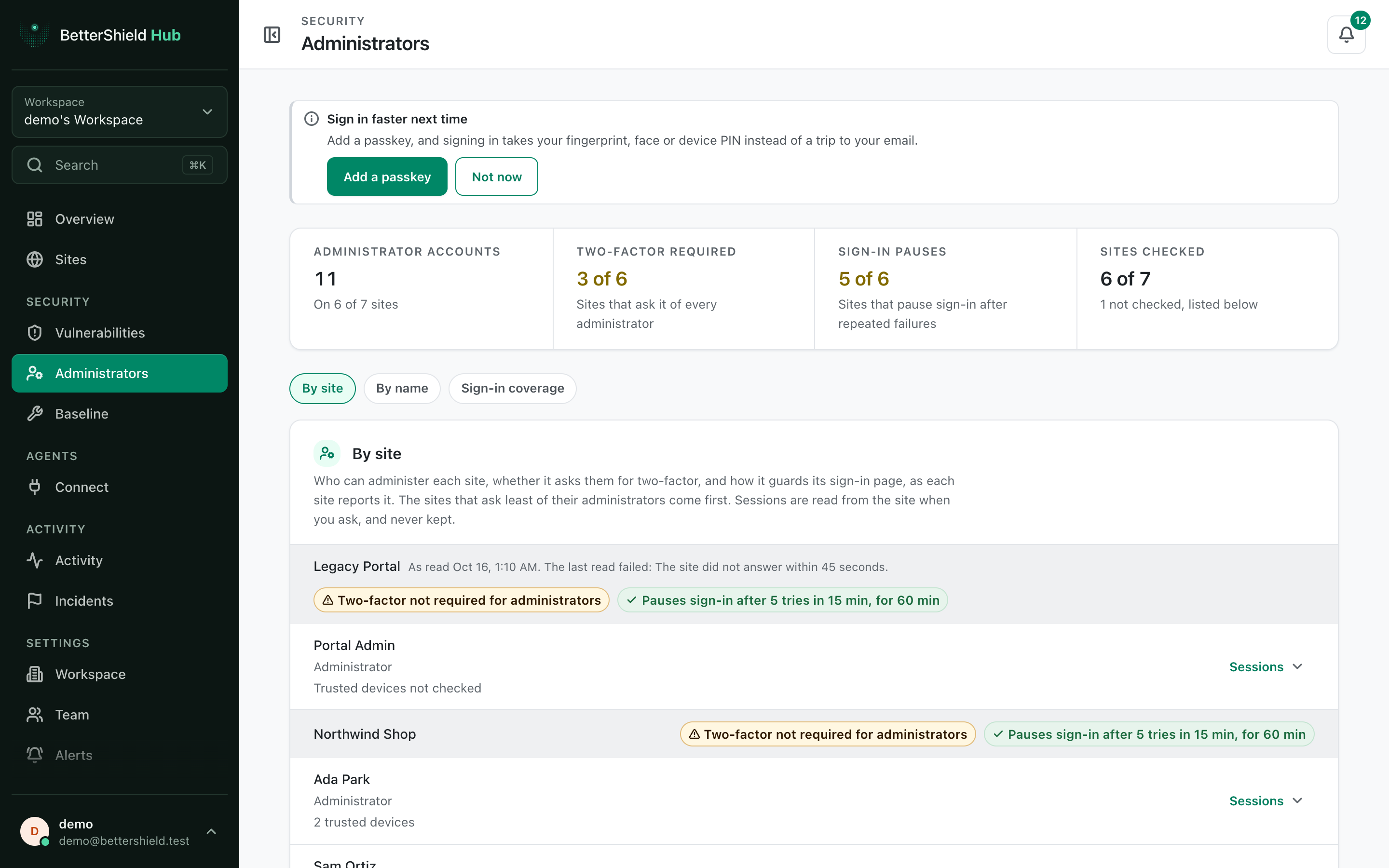
Step 2: Review administrators across BetterShield Hub sites
- Open Security › Administrators.
- Under Group, choose By site or By name. The default is By site.
- Select Sessions on an account when offered.
Recommended settings
Our advice:
- Use By name to find one person across client sites.
- Confirm unexpected administrators in WordPress before changing the account.
- Review sites under Not checked before treating the list as complete.
What it can break and how to undo
Reading the list or sessions changes nothing. Account changes are made on the WordPress site and can affect access immediately.
Do not remove an administrator until another trusted account can manage the site.
Final Outcome
The account totals and grouped rows appear.
- By name combines matching reported display names across sites.
- Sessions opens the session details reported by the selected site.
Related
This is how you can review site administrators with BetterShield Hub.
Getting Stuck? Feel free to contact our Dedicated Support Team.